Find the holes before someone else does: hands-on with safe-anything, the Rust vulnerability scanner
safe-anything scans a repo for SQL injection, XSS, leaked secrets, bad configs, vulnerable dependencies, and risky AI agent setups — in one command, with no account and no uploads. I ran it on a deliberately vulnerable app: 18 findings in 0.09 seconds, including 5 critical secrets. Here is the full walkthrough.
- The tool: safe-anything (erkamyaman/safe-anything), created November 22, 2026, 616 stars and 54 forks in its first two days, MIT licensed, version 1.0.2, installable with npx or cargo install.
- Measured here: a deliberately vulnerable 6-file demo app produced 18 findings (5 critical, 8 high, 3 medium, 2 low) in 0.09 seconds, exit 1; the fixed version scanned clean in 0.11 seconds, exit 0.
- What it checks: 72 rules in 1.0.2 — code flaws (SQL injection, XSS, eval, unsafe deserialization), leaked secrets, Docker and CI config, locked dependencies via OSV.dev, and AI agent setups (MCP servers, permissions, hooks, skills).
- Honest limits: pattern-based, no data-flow tracing — one planted path-traversal pattern went unflagged; the OSV dependency check failed in my sandbox on a TLS certificate error, so that leg is documented here, not verified live.
Most security scanners make you choose: a secrets scanner, a dependency checker, a linter for dangerous code, or a config auditor. safe-anything does all four in one command, and it adds a fifth check most scanners never touch — the AI agent setup that writes your code. It appeared on GitHub on November 22, 2026, and collected over 600 stars in its first two days, landing at number two on the week’s list of new AI projects. I installed it, pointed it at a deliberately vulnerable app, and watched it find every planted flaw — 18 findings in 0.09 seconds, including five critical leaked secrets. Here is the full walkthrough, with every command run as shown.
The pitch is simple: one binary, no config, no account, no uploads. You run safe-anything . in a repo and get every finding with the line, the reason, and the fix. The checks cover nine languages plus SQL, leaked secrets, mobile and cloud config, locked dependencies against OSV.dev, and the settings, hooks, and skills of Claude Code, Codex, Cursor, Gemini, and OpenCode. It exits with 1 when something high or critical is found, so it works as a pre-commit hook or a CI gate with nothing else to wire up.
1. What you’ll need#
- Node.js 18 or later for the npm install path, or a Rust toolchain for
cargo install. I used Node v24.22.1; no Rust toolchain was installed, and none was needed. - A repo to scan. Any folder works — a real project, or the small deliberately vulnerable demo app built in Step 2.
- No accounts, no API keys, no GPU. The scanner runs entirely locally. The only network call it makes is the dependency check against OSV.dev, and
--offlineskips even that. - Five minutes. The install took seconds; the scans below each took under half a second.
2. Step 1 — Install and verify#
The fastest install is the npm package, which downloads a prebuilt native binary for macOS, Linux, or Windows. The Cargo install builds from source instead.
npx safe-anything --version     # or: cargo install safe-anything
npx safe-anything --list-rules
safe-anything 1.0.2Version 1.0.2 installed cleanly. --list-rules prints every rule the installed binary knows: 72 rules in 1.0.2, each with a severity, a CWE id, and a one-line explanation. The first few show the range:
code.sql-injection                   high      CWE-89    A SQL query is built from variables by string formatting, so input can change the query (SQL injection).
code.eval                            high      CWE-95    Code is evaluated from a string at run time; if any part comes from input, an attacker can run code.
secret.aws-access-key                critical  CWE-798   An AWS access key id is written in the file.
secret.github-token                  critical  CWE-798   A GitHub token is written in the file.
code.xss-inner-html                  medium    CWE-79    HTML is written from a variable; if it holds user input, scripts run in the page (XSS).
Run safe-anything --help to see the full flag list. The flags that matter for daily use are --json and --sarif for machine-readable reports, --offline to skip the dependency check, --severity to hide findings below a level, and --fail-on to choose which severity makes the command exit 1 (the default is high).
3. Step 2 — Scan a deliberately vulnerable app#
To see what the scanner actually catches, I built a small demo app with one flaw per category — the kind of mistakes that ship in real codebases. All credentials below are deliberately fake example values, never real secrets. The Python file has a string-formatted SQL query, an eval, an MD5 password hash, a pickle.loads, and a shell command built from user input:
import hashlib, os, pickle, sqlite3

def get_user(username):
    conn = sqlite3.connect("app.db")
    query = f"SELECT * FROM users WHERE name = '{username}'"
    return conn.execute(query).fetchall()

def run_snippet(code):
    return eval(code)

def hash_password(password):
    return hashlib.md5(password.encode()).hexdigest()

def load_session(data):
    return pickle.loads(data)

def ping_host(host):
    os.system("ping -c 1 " + host)
The JavaScript file sets innerHTML from a variable and calls document.write with user input, next to three fake keys. A .env file holds a database URL with a password and two more fake keys. A Dockerfile uses the node:latest tag and bakes a token into an ENV line. And a .mcp.json wires up an MCP server with an unpinned npx package and a plaintext API token. Then the scan:
safe-anything . --offlineCRITICAL .env:2 secret.aws-access-key
An AWS access key id is written in the file.
> AWS_ACCESS_KEY_ID=AKIA****
Fix: Revoke this credential at the provider, then load it from the environment or a secrets manager and keep it out of the repository.
CRITICAL app.js:8 secret.github-token
A GitHub token is written in the file.
> const GH_TOKEN=<redacted>
HIGH app.py:10 code.sql-injection
A SQL query is built from variables by string formatting, so input can change the query (SQL injection).
> query = f"SELECT * FROM users WHERE name = '{username}'"
Fix: Use parameterized queries (placeholders like ?, $1 or %s passed separately) or the ORM's query builder.
HIGH app.py:15 code.eval
Code is evaluated from a string at run time; if any part comes from input, an attacker can run code.
> return eval(code)
HIGH .mcp.json:1 agent.mcp-plaintext-secret
The MCP server's API_TOKEN is written in plain text in the config.
Fix: Reference an environment variable ("${VAR}") and keep the value out of files that get shared or committed.
MEDIUM .mcp.json:1 agent.mcp-unpinned
The MCP server runs `some-mcp-server` without a pinned version, so every start installs whatever was published last.
Fix: Pin an exact version ([email protected], pkg==1.2.3, or an image digest) and update on purpose.
18 findings: 5 critical, 8 high, 3 medium, 2 low
Scanned 6 files in 0.09 s. Dependencies: skipped (offline).Every planted flaw was caught: the SQL injection, eval, unsafe deserialization, command injection, MD5, both XSS patterns, all five fake secrets, the database URL credentials, the .env file itself, the Docker secret and unpinned base image, and both MCP problems. The command exited with status 1, because high findings were present. Two details are worth noting: secrets are redacted in the output (AKIA****, <redacted>), so pasting a report into a ticket or a chat window does not leak the secret a second time; and each finding carries a concrete fix, not just a warning.
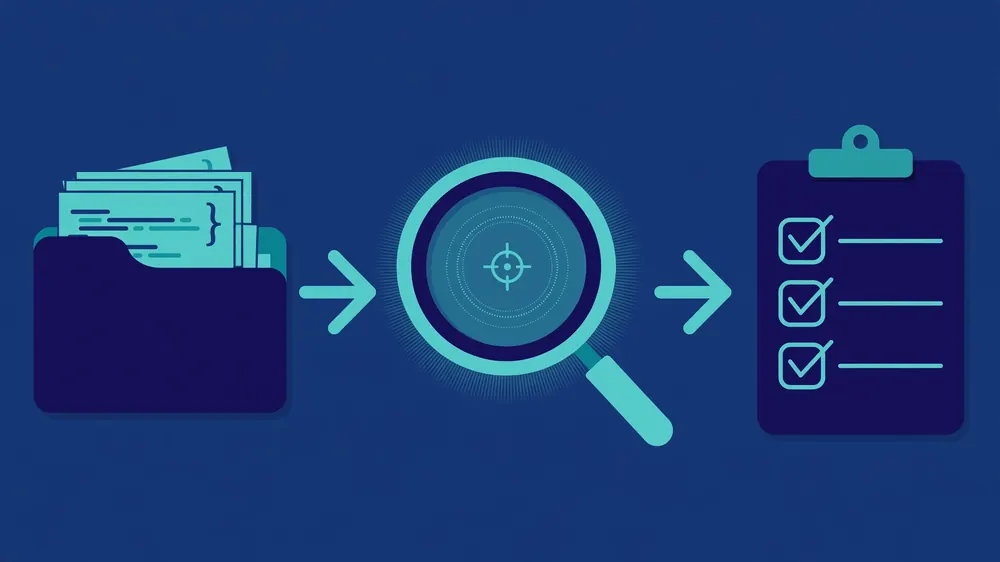
4. Step 3 — Fix one finding and prove the scan goes quiet#
A scanner is only useful if the fix is obvious and the re-scan confirms it. Take the SQL injection, the most dangerous finding in the demo. The fix is a parameterized query — the value travels separately from the SQL, so input can never rewrite the query:
import hashlib, sqlite3

def get_user(username):
    conn = sqlite3.connect("app.db")
    return conn.execute("SELECT * FROM users WHERE name = ?", (username,)).fetchall()

def hash_password(password):
    return hashlib.sha256(password.encode()).hexdigest()
I put the fixed code in a clean project — parameterized query, SHA-256 instead of MD5, no secrets, no eval — and scanned it the same way:
safe-anything . --offline; echo $?No problems found.
Scanned 1 files in 0.11 s. Dependencies: skipped (offline).
0Zero findings, exit 0. That clean-scan behaviour is what makes the tool usable as a gate: a pre-commit hook or CI step can fail the build on a dirty scan and pass it on a clean one, with no human in the loop. One honest boundary: the scanner is pattern-based. It reads each file and matches compiled rules; it does not trace data through your program. A path built by string concatenation in a helper with no request context — open("/data/" + filename) — was not flagged in my demo, while the same pattern next to request input would be. A clean scan means none of its rules fired, not that the code is safe. The project’s README says exactly that, and it is the right way to read the output.
5. Step 4 — Machine-readable reports#
For scripts and CI, the human-readable report is the wrong shape. --json prints the same findings as structured data:
safe-anything . --offline --json | python3 -m json.tool | head -30{
"findings": [
{
"rule": "secret.aws-access-key",
"family": "secret",
"severity": "critical",
"path": ".env",
"line": 2,
"message": "An AWS access key id is written in the file.",
"fix": "Revoke this credential at the provider, then load it from the environment or a secrets manager and keep it out of the repository.",
"snippet": "AWS_ACCESS_KEY_ID=AKIA****",
"cwe": "CWE-798",
"owasp": "A07:2021 Identification and Authentication Failures",
"learn_more": "https://cheatsheetseries.owasp.org/cheatsheets/Secrets_Management_Cheat_Sheet.html"
}
]
}Every finding carries the rule id, family, severity, file, line, message, fix, redacted snippet, CWE id, OWASP category, and a link to the OWASP cheat sheet that explains the weakness. That is enough to build a triage dashboard, a Slack digest, or a “new critical findings since yesterday” diff with a few lines of script. --sarif produces SARIF 2.1.0 instead, which GitHub code scanning consumes directly — findings then show up in the repository’s Security tab and on pull requests.
Two flags control what you see and what fails the build. --severity medium hides low findings from the report; --fail-on never always exits 0, while --fail-on critical fails only on criticals. The default — report everything from low up, fail on high or above — is the right starting point for most repos. One more default worth knowing: findings in tests, specs, and fixtures are mostly skipped, because test data trips secret rules constantly; only real provider keys and private keys count there unless you pass --include-tests.

6. Step 5 — Scan the AI agent setup#
The check that sets this scanner apart from a generic SAST tool is the agent-setup family, and it is the one I verified most carefully, because it is new. The same scan that caught the code flaws also read .mcp.json and flagged two problems: a token in plaintext and an unpinned npx package. Those are the two most common ways an agent setup goes wrong — a credential committed next to the config, and a floating dependency that installs whatever was published last, every time the agent starts.
The rule list covers the rest of the agent surface: bypassPermissions and --dangerously-skip-permissions settings, pre-approved Bash commands, curl | sh in hooks and skills, prompt-injection text in instructions, skills that read ~/.ssh or cloud credentials, invisible Unicode in instructions, and remote MCP servers over plain http://. If your coding agent can run shell commands and install MCP servers, its config files are part of your attack surface, and this is the first scanner I have used that treats them that way. The MCP server mode (safe-anything mcp, with scan and list_rules tools) and the Claude Code plugin are documented by the project; I did not run them hands-on in this tutorial, because they execute inside a coding-agent session rather than as a standalone command I could verify in my sandbox. The commands in this article are the part I verified end to end.
7. Step 6 — Put it in CI#
The GitHub Action is the documented deployment path, and the shape of it follows directly from the CLI flags verified above. This snippet is from the project’s README, not a workflow I ran live:
- uses: erkamyaman/[email protected]
  with:
    fail-on: high
- uses: github/codeql-action/upload-sarif@v4
  if: always()
  with:
    sarif_file: safe-anything.sarif
With fail-on: high, a pull request that introduces a SQL injection or a leaked key fails the check; a pull request with only a low finding (an MD5 checksum, a wildcard CORS header on a public endpoint) still merges. The SARIF upload puts the findings in the Security tab, where they are reviewable next to CodeQL results. For a pre-commit hook, the same gate is one line — safe-anything . --offline — which runs in under half a second on a small repo and needs no network.
A note on the dependency check: it queries OSV.dev with package names and versions from your lockfiles (package-lock.json, Cargo.lock, requirements.txt, go.mod, and eight more) and reports the nearest fixed version for anything vulnerable. In my sandbox the OSV query failed with a TLS certificate error — a sandbox network quirk, not a tool defect — so the dependency check is documented here rather than verified live. Run it with --offline when you want a purely local scan, and without it when you want the dependency verdicts too.
8. When to use this vs alternatives#
- Use safe-anything when you want one fast command before a commit or in CI, and your main risks are leaked secrets, obvious injection flaws, bad config, known-vulnerable dependencies, and a sloppy agent setup. It is the shortest path from “never scanned” to “scanned on every commit.”
- Use gitleaks when secrets are the only thing you care about. It is narrower and deeper on secret patterns; safe-anything is broader and shallower by design.
- Use Semgrep when you want to write your own rules or need deeper code analysis with custom patterns per codebase. That power costs configuration; safe-anything ships its 72 rules with zero config.
- Use CodeQL when you need data-flow analysis — tracing tainted input from a request handler through three functions into a query. That is exactly the class of flaw safe-anything’s pattern matching can miss, and CodeQL is slower and heavier for it.
- Use SkillSpector when the question is specifically whether a third-party agent skill is malicious. It scans skills; safe-anything scans your code, your secrets, your config, and your agent setup together.
The honest summary: safe-anything is a first line of defence, not a security audit. It finds the known patterns fast, with fixes attached, and it is explicit about what it cannot do. Treat a clean scan as “none of these 72 problems found,” and pair it with a deeper tool when the stakes justify one.
9. The takeaway#
The loop is short enough to memorize: install with npx safe-anything, scan with safe-anything ., read the finding, apply the fix it suggests, re-scan until the report is quiet, and put the same command in CI with --fail-on high. On my deliberately vulnerable demo that loop found 18 real flaws in 0.09 seconds — five critical secrets, a SQL injection, an eval, unsafe deserialization, command injection, two XSS patterns, and two agent-setup mistakes — and a fixed version of the same app scanned clean.
The reason the tool is getting attention two days after release is not the star count. It is that the scan covers the thing other scanners ignore: the agent setup. The same config files that decide what your coding agent may do — which MCP servers it runs, which permissions it skips, which hooks it executes — are now scanned by the same command as your code. If an agent writes your code, auditing its setup is part of auditing your code. safe-anything makes that one command.