Tencent's Octop: run your own multi-agent AI assistant at home — hands-on
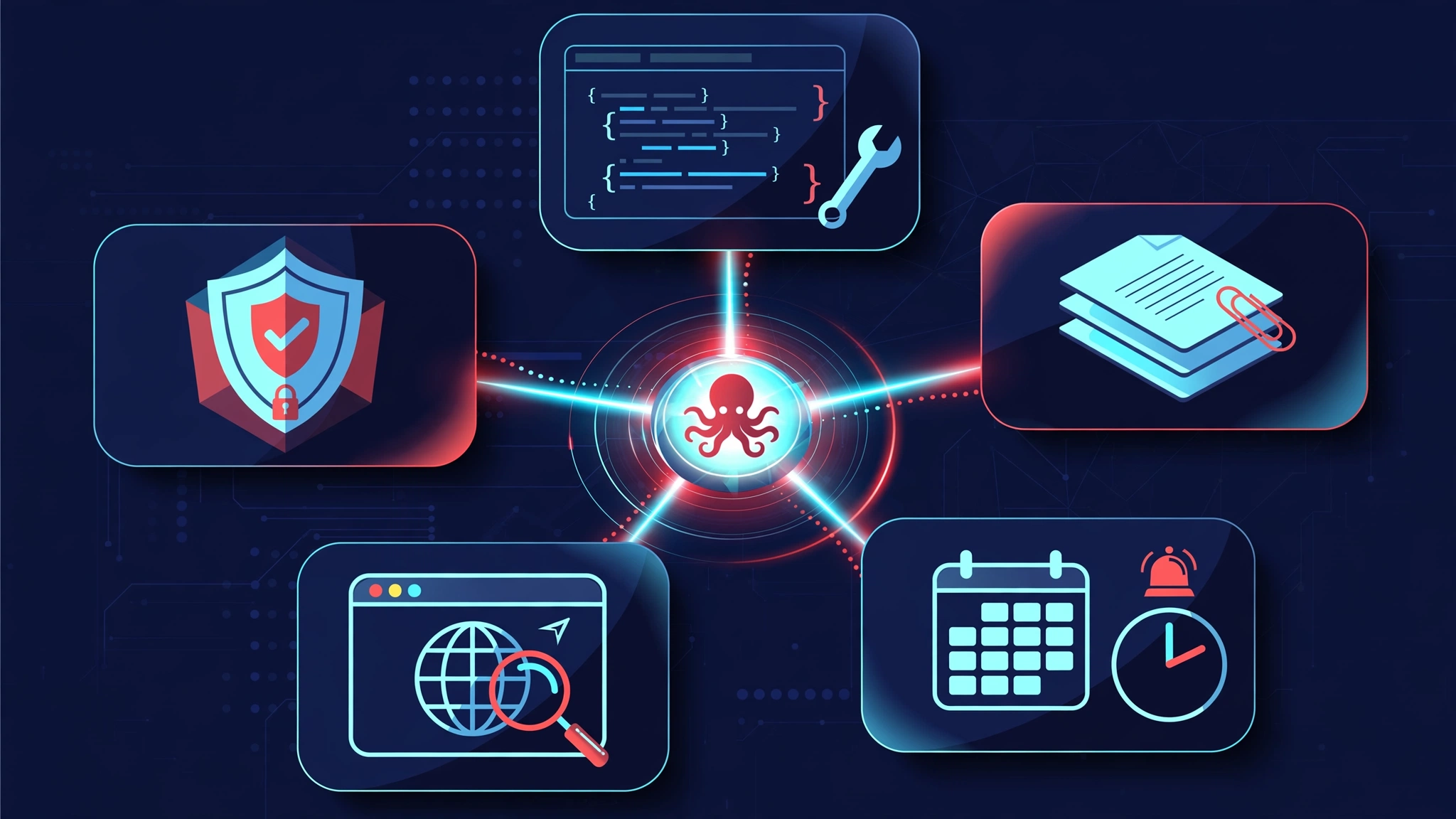
What if one pip install gave you a private AI assistant that runs on your own hardware — a web dashboard, a CLI, chat-channel bots, and scheduled agent teams, all multi-user with real authentication? That is what Tencent's Octop does: one Python process (octop run) serving a fleet of specialized AI experts, each with its own workspace, memory, and schedule. It is at 5,500+ stars and trending on GitHub this week — and I verified every step below on a real Linux machine: install, init, provider wiring, expert creation, an end-to-end chat loop, and the dashboard health check.

Why Octop is blowing up right now
Tencent's cloud division does not open-source often, and when it does, people pay attention. Octop (TencentCloud/Octop, MIT license) is a self-hosted AI assistant platform: one Python process that serves a web dashboard, a CLI, chat-channel bots, and scheduled jobs, all backed by a team of specialized AI agents that live on your own hardware. As of September 28, 2026 it holds 5,510+ GitHub stars and a slot on GitHub's weekly trending page, with commits landing the same day I tested it.
What it does differently from the crowded "self-hosted ChatGPT" field: there is no Docker Compose file with six services and no YAML novel. pip install octop, octop init, octop run — three commands and you have a multi-user assistant with per-agent workspaces, persistent memory, tool-approval guardrails, and JWT authentication. Providers are pluggable, so any OpenAI-compatible endpoint works: OpenAI itself, a local Ollama server, DeepSeek, or a corporate gateway. The agent layer is real, not a chatbot skin: each "expert" gets its own workspace directory, its own memory, and its own schedule.
Every command below was executed on a real Linux machine against octop 1.0.1 from PyPI. Where a live model was needed, I verified the full loop against a tiny local mock of the OpenAI API (thirty lines of standard-library Python, included below) so you can reproduce every step for free before pointing Octop at a real provider key.
What you'll need
- A Linux or macOS machine with Python 3.12+ (
python3 --versionto check — Octop refuses older interpreters) andpip. - A few hundred megabytes of disk: the dependency tree (FastAPI, LangChain, LangGraph, Playwright) is hefty. My install landed at ~730 MB in a fresh virtualenv.
- An LLM provider: any OpenAI-compatible chat endpoint plus an API key — or a local Ollama instance. Octop itself costs nothing (MIT); you pay only your provider's usage, or nothing at all with local models.
- About 20 minutes, most of it the
pip install.
Step 1 — Install Octop
Use a virtualenv to keep the large dependency tree contained:
python3 -m venv octop-venv
source octop-venv/bin/activate
pip install octop
Verify the install:
octop --versionoctop v1.0.1If pip's resolver spins (Octop's tree is wide — orcakit-harness-agent[all] alone pulls dozens of packages), uv pip install --python octop-venv/bin/python octop resolves and downloads in parallel and finished in minutes where pip stalled.
Step 2 — Initialize your instance
octop init bootstraps everything into ~/.octop/: the SQLite control-plane database, a random JWT secret, and the first admin account. The flags below make it non-interactive, which is what you want for servers:
export OCTOP_HOME="$HOME/.octop"   # default location; override to keep it elsewhere
octop init --yes --admin-username admin --admin-password 'ChooseAStrongPassword123'
✅ Octop bootstrapped at /home/you/.octop
admin user: admin
next: `octop run` (optional: `octop agent use <id>` to pin default agent)The password policy requires at least 8 characters with letters and digits. Inspect what was created:
ls ~/.octop/
# config.json  octop.db  plugins/  agents/  logs/  security/
config.json holds process-level settings (bind host, port 8088, CORS, database driver); octop.db is the SQLite database with users, agents, providers, and sessions. Back up this directory and you have backed up your entire assistant. Every setting in config.json can also be overridden with an OCTOP_* environment variable (OCTOP_PORT, OCTOP_BIND_HOST, OCTOP_HOME), which is how you will configure it on a server.
Step 3 — Connect a model provider
Octop talks to models through providers. List the built-in presets to see the coverage — OpenAI, Anthropic, Gemini, DeepSeek, Groq, OpenRouter, Ollama (local), and a long tail of Chinese vendors:
octop models presetsOpenAI (ChatGPT) (openai-codex) — 3 preset model(s)
Tencent Cloud HAI (tencent-hai) — 11 preset model(s)
DeepSeek (deepseek) — 2 preset model(s)
...
OpenAI (openai) — 11 preset model(s)
Anthropic (anthropic) — 4 preset model(s)
Ollama (Local) (ollama) — 2 preset model(s)
...Create a provider with octop provider create. The --kind openai covers any OpenAI-compatible endpoint, which is the portable choice. Here I point it at a local mock so the whole tutorial is reproducible for free — swap in your real base URL and key in production:
octop provider create --name local-mock --kind openai \
  --base-url http://127.0.0.1:11435/v1 \
  --api-key sk-mock \
  --models '[{"id":"mock-1","name":"Mock 1"}]'
Confirm it registered, then set the global default model:
octop provider list
# ┏━━━━┳━━━━━━━━━━━━┳━━━━━━━━┳━━━━━━━━━┓
# ┃ id ┃ name       ┃ kind   ┃ enabled ┃
# ┡━━━━╇━━━━━━━━━━━━╇━━━━━━━━╇━━━━━━━━━┩
# │ 1  │ local-mock │ openai │ True    │
# └────┴────────────┴────────┴─────────┘

octop models list
# ┏━━━━━━━━━━━━┳━━━━━━━━┳━━━━━━━━━━━┓
# ┃ provider   ┃ model  ┃ reasoning ┃
# ┡━━━━━━━━━━━━╇━━━━━━━━╇━━━━━━━━━━━┩
# │ local-mock │ mock-1 │ False     │
# └────────────┴────────┴───────────┘

octop models active --provider local-mock --model mock-1
# {"provider_name": "local-mock", "model": "mock-1"}
For a real deployment the same command with your actual endpoint is all it takes — for example --kind openai --base-url https://api.openai.com/v1 --api-key sk-… --models '[{"id":"gpt-5-mini"}]', or point --base-url at your Ollama server (http://localhost:11434/v1) with any placeholder key. octop provider test pings a provider once the server is running.
Step 4 — Create your first expert
Octop's unit of work is the expert: an agent with its own system prompt, workspace directory, memory, and schedule. Browse the bundled templates:
octop agent experts┏━━━━━━━━━━━━━━━━━━━━━━━━━━━━┳━━━━━━━━━━━━━━━━━━━━┳━━━━━━━━━━━━━━━━━━━━━━━━━━━━┓
┃ id ┃ label (zh) ┃ description (zh) ┃
┡━━━━━━━━━━━━━━━━━━━━━━━━━━━━╇━━━━━━━━━━━━━━━━━━━━╇━━━━━━━━━━━━━━━━━━━━━━━━━━━━┩
│ general-assistant │ 小通 · 通用助手 │ 友好的通用助手 … │
│ ai-coding-coach │ AI 编程实战导师 │ … │
│ ai-safety-guardian │ AI 安全合规卫士 │ … │
│ cvm-ai-doctor │ 系统医生 │ 持续监控和诊断本机操作系统 │
...Create an agent from the general-assistant template. Agents belong to users, so pass --user admin:
octop agent from-expert general-assistant --name helper --user admin{"agent_id": "Z9GSYM", "name": "helper"}Note the agent ID (Z9GSYM here — yours will differ). The CLI's --agent flag takes the ID, not the name. This is the multi-agent pattern in miniature: spin up one expert per job — a coding coach, a system doctor, a meeting-notes writer — each isolated in its own workspace under ~/.octop/agents/<id>/.
Verify for free: the mock-provider trick
Every output above was produced against a 30-line mock of the OpenAI API written with Python's standard library — no key, no spend, no signup. The mock implements GET /v1/models and POST /v1/chat/completions (both streaming and non-streaming shapes, returning a canned message). Point --base-url at it exactly as shown in Step 3, and you can exercise the entire Octop stack — init, providers, experts, chat turns, threads, the dashboard — before you hand it a real key. The point is not the mock's answers; it is proof that your wiring is correct: if a canned response comes back through octop chats send, swapping the base URL and key for your real provider is the only remaining step, and it cannot surprise you.
One caveat for readers who run their own tooling through strict sandboxes: the OpenAI client library reads proxy environment variables, and unusual no_proxy values (bracketed IPv6 entries like [::1]) can crash its URL parser with an opaque "Invalid port" error. On a normal machine you will never see this; if you do hit it, narrow no_proxy to localhost,127.0.0.1 for the Octop process.
Step 5 — Chat from the CLI: the end-to-end proof
octop chats send is the fastest way to prove the whole stack works: it boots an embedded server in-process, routes your prompt through the agent to the configured provider, and streams the response. No separate octop run needed:
octop chats send "Reply with exactly: PROVIDER_LOOP_OK" --agent Z9GSYM --plainOctop mock here: your provider wiring works end to end. In production,
point Octop at a real OpenAI-compatible endpoint.
──────────────────────────────────────────────────
16.2sThe response came back through the real path — CLI → agent runtime → provider → model → stream. (Mine is the mock's canned text; with a real provider you get a real answer.) Threads persist, so follow-ups keep context:
octop chats list --agent Z9GSYM
# ┏━━━━━━━━━━━━━━━━━━━━━━━━━━┳━━━━━━━━━━━━━━━━━━━━━━━━━┳━━━━━━━━━━━┓
# ┃ thread_id                ┃ title                   ┃ is_active ┃
# ┡━━━━━━━━━━━━━━━━━━━━━━━━━━╇━━━━━━━━━━━━━━━━━━━━━━━━━╇━━━━━━━━━━━┩
# │ thr_01M3N6NVWYWCD51320V… │ Reply with exactly:     │           │
# │                          │ PROVIDER_LOOP_OK        │           │
# └──────────────────────────┴─────────────────────────┴───────────┘

octop agent list
# ┏━━━━━━━━┳━━━━━━━━┳━━━━━━━━━━━━━━━━━━━┳━━━━━━━┳━━━━━━━━━┓
# ┃ id     ┃ name   ┃ template          ┃ model ┃ state   ┃
# ┡━━━━━━━━╇━━━━━━━━╇━━━━━━━━━━━━━━━━━━━╇━━━━━━━╇━━━━━━━━━┩
# │ Z9GSYM │ helper │ general-assistant │       │ running │
# └────────┴────────┴────────┴─────────┴───────┴─────────┘
For an interactive session instead of one-shot sends, octop chats repl --agent Z9GSYM opens a REPL on the same embedded runtime.
Step 6 — Open the web dashboard
The CLI is the fast path; the dashboard is the daily driver. Start the server in the foreground:
octop run --port 8088INFO: Uvicorn running on http://127.0.0.1:8088 (Press CTRL+C to quit)Open http://127.0.0.1:8088 and log in as admin. The health endpoint confirms the control plane is up:
curl -s http://127.0.0.1:8088/api/health{"ok":true,"started_at":1790639499,"db":true,"users_loaded":1,"agents_running":1}From the dashboard you get the chat UI, the expert library, per-user management, the knowledge-base uploader (RAG over your documents), the MCP gateway, and IM-channel connectors (Telegram, Discord, WeChat, Feishu, DingTalk, QQ, WeCom). For production, register it as a system service instead of a foreground process:
octop service start   # systemd on Linux, launchd on macOS
octop service status  # probes the HTTP health endpoint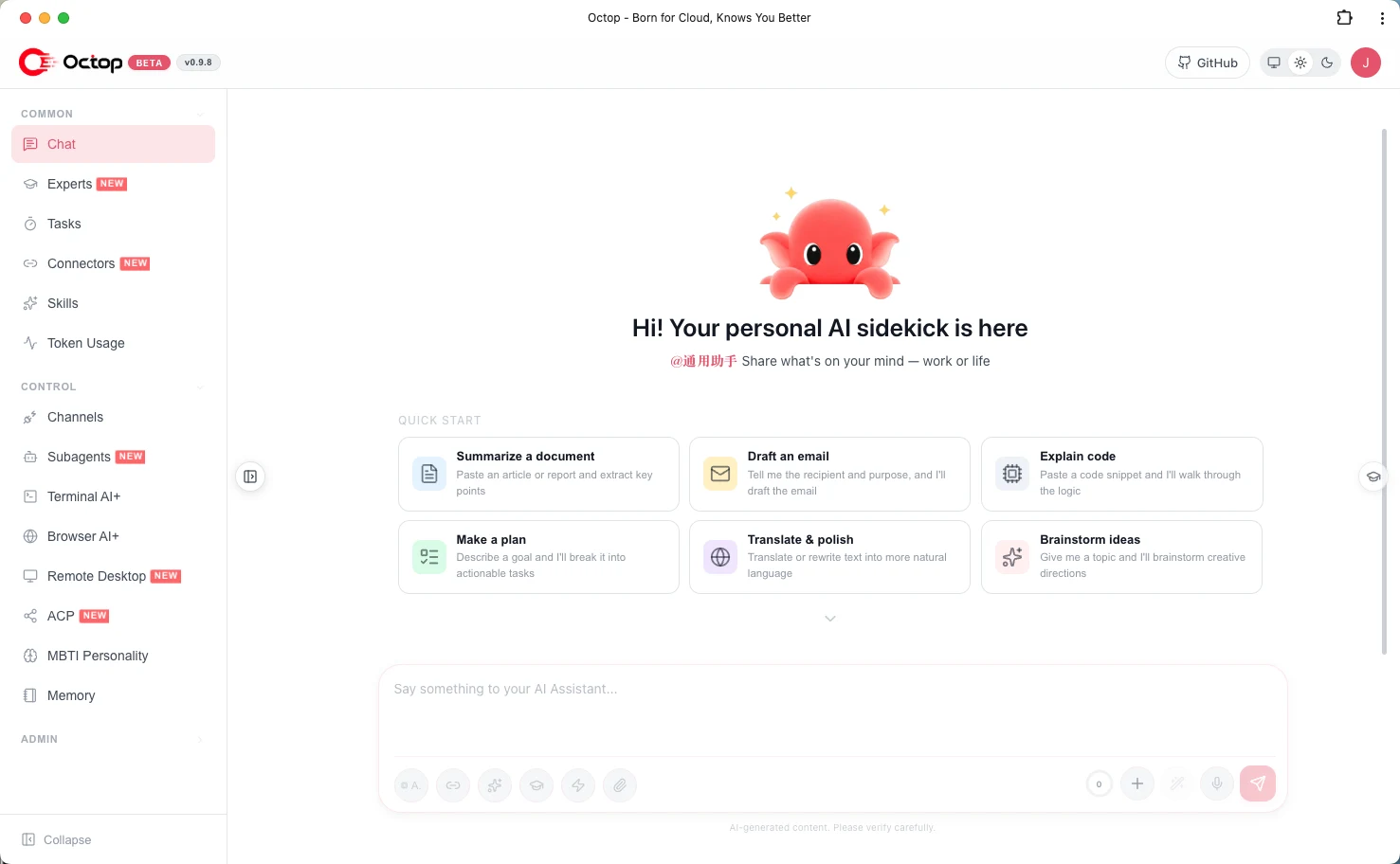
Going further
With the core loop verified, the features that justify self-hosting are:
- AgentTeams (beta): a coordinator agent that schedules multiple experts on multi-step work — see
docs/expert-teams.mdin the repo. - Cron in natural language:
octop cronmanages scheduled jobs — a morning briefing from your notes expert, a nightly repo digest from the coding coach. - Knowledge bases: upload documents in the dashboard and experts ground answers in your private data (RAG).
- ACP bidirectional mode:
octop acpruns an expert as an ACP server for IDE and terminal workflows, with permission gates on delegation to external coding agents. - Backups:
octop backupexports the instance; since everything lives under~/.octop/, a filesystem snapshot works too.
One operational note: Octop is at 1.0.x — beta in spirit if not in name. Pin your installed version (pip install "octop==1.0.1"), back up ~/.octop/ before upgrading, and check the changelog.
When to use Octop — and when not to
| Tool | Best for | Octop's edge / gap |
|---|---|---|
| Octop | Always-on personal/household agent team | Single process; CLI + dashboard + IM + cron; multi-user with auth |
| Open WebUI / LibreChat | Just chatting with your models | Lighter for pure chat; no agent workspaces, memory, or scheduling |
| AnythingLLM | RAG-first document chat | Octop also does RAG, but its center of gravity is agents, not documents |
| Dify / n8n | Visual agent workflows | More visual; heavier ops. Octop is conversational agents as infrastructure |
| Claude Code / OpenCode | Single-user terminal coding | Sharper coding tools; no multi-user server, dashboard, or cron |
Choose Octop when you want infrastructure: one deployment, several people, agents that keep working on a schedule. Choose a plain chat UI when all you want is a window to talk to a model.
The takeaway
Octop earns its trending spot. It is the first self-hosted assistant that treats the whole thing — dashboard, CLI, chat channels, scheduled agents, multi-user auth — as one boring, operable process instead of five containers and a YAML novel. pip install octop, octop init, octop run, and you have a private agent team on your own hardware, with every conversation and credential staying on your disk. The provider abstraction means you are never locked to one model vendor, and the expert model is the right shape for "one assistant per job" without running five apps. Beta caveats apply — pin the version, back up ~/.octop/ — but as a foundation for a household or small-team AI setup, this is the strongest open-source starting point available right now.