Run your own daily AI stock briefing: hands-on with Daily Stock Analysis
Daily Stock Analysis turns a watchlist into a scored morning briefing — quotes, technicals, news sentiment, and risk flags, written by a language model you choose. Follow the full setup, verified end to end, from pip install to your first scheduled run.
- The project: 71,966 stars (3,778 gained this week), MIT license, six markets plus ETFs, 1,083 commits.
- Cost: $0 to start — a free Gemini key, free Yahoo Finance data, no server or GPU required.
- Verified here: pip install resolved to LiteLLM 1.98.1 and yfinance 1.8.0; a dry run fetched 44 rows of AAPL daily bars in 3.24 seconds.
- Defaults: Gemini model gemini-3.6-flash with gemini-3.5-flash-lite as fallback; reports land in
reports/. - Limits: the live analysis needs your own API key, the GitHub Actions run executes in your fork, and nothing the tool writes is investment advice.

A stock watchlist is only useful if someone actually reads it every day. Daily Stock Analysis is the open-source project that does the reading for you: it pulls quotes, technicals, and news for the tickers you choose, hands the bundle to a language model, and returns a scored briefing — buy, watch, or sell, with the reasoning attached. It picked up 3,778 stars this week alone, landing at number six on GitHub's weekly trending list with 71,966 stars in total, and it is the rare trending repo you can have running the same afternoon.
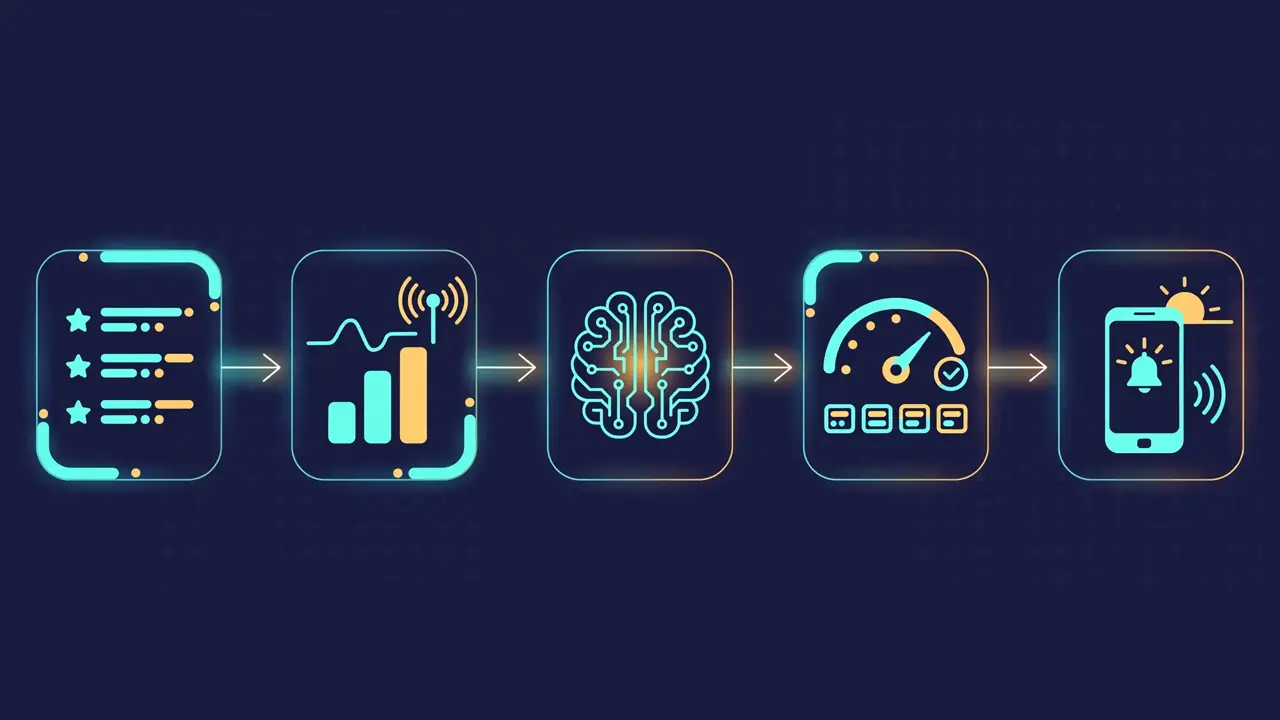
This tutorial sets it up end to end: local install, a free model key, a verified dry run against real market data, your first live briefing, and a scheduled run that delivers the report to Telegram or Discord every trading day. Every command below was run during the writing of this piece; where a step needs your own API key, that is stated plainly instead of faked.
Why this is blowing up now#
The numbers first. Daily Stock Analysis (ZhuLinsen/daily_stock_analysis) was created in January 2026 and now holds 71,966 stars and 57,385 forks across 1,083 commits, under the MIT license. The spike this week is not a single viral post: the project covers six markets — A-shares, Hong Kong, US, Japan, Korea, and Taiwan — plus ETFs, and it solves the unglamorous problem every retail investor actually has, which is keeping up with a watchlist daily without paying for a terminal.
What it does differently from the dozen LLM-stock wrappers around it: it is a full pipeline, not a chatbot demo. Market data comes from a chain of free sources with automatic fallback (East Money, AkShare, Baostock, Yahoo Finance), the model layer runs through LiteLLM so you can swap Gemini, DeepSeek, Claude, or a local Ollama model without touching code, and the output is a structured decision dashboard — score, trend, risk alerts, catalysts, and a checklist — delivered to Telegram, Discord, Slack, email, WeChat Work, or Feishu. It also ships a web workbench, a backtester, and an ETF rotation mode. Nothing here requires a server, a GPU, or a paid subscription to start.
What you'll need#
- Python 3.10 or newer. Verified here on Python 3.12.3.
- A free Gemini API key from Google AI Studio (aistudio.google.com) — the zero-cost model path used in this tutorial. The project also accepts DeepSeek, Anthropic, OpenAI-compatible keys, or a local Ollama server if you prefer.
- A watchlist. Ticker codes such as
AAPL,600519(Kweichow Moutai),hk00700(Tencent),7203.T(Toyota),005930.KS(Samsung),2330.TW(TSMC). - Nothing else. No database to install (SQLite is built in), no Docker, no GPU. Market data for US stocks comes from Yahoo Finance, which needs no key at all.
Cost: $0 to follow this tutorial. The Gemini free tier covers the daily analysis of a small watchlist; the project's own docs note that free data sources carry no stability guarantee, and paid data tokens (Tushare, Longbridge, TickPlus) are optional upgrades, not requirements. This is a research and learning tool — the project's own disclaimer, and this article's, is that nothing it produces is investment advice.
Step 1 — Install it#
Clone the repo, create a virtual environment, and install the pinned requirements:
git clone https://github.com/ZhuLinsen/daily_stock_analysis.git
cd daily_stock_analysis
python3 -m venv .venv
source .venv/bin/activate
pip install -r requirements.txt
That install is large — it pulls pandas, LiteLLM, FastAPI, yfinance, AkShare, and a dozen data-source clients. On this run it resolved to LiteLLM 1.98.1, pandas 3.1.1, yfinance 1.8.0, and AkShare 1.19.5, and took about nine minutes on a slow connection; on a normal broadband link expect a few minutes. Use a virtual environment: the package list is long and you do not want it in your system Python.
Confirm the CLI works before configuring anything:
python main.py --helpYou should see the full flag list, including --dry-run (fetch data only, no AI analysis), --stocks (override the watchlist for one run), --market-review (market recap only), --webui (start the web workbench), and --etf-rotation (ETF rotation signals without calling an LLM).
Step 2 — Point it at your watchlist and a free model#
Copy the example environment file and edit two lines:
cp .env.example .envSTOCK_LIST=AAPL,7203.T,2330.TW
GEMINI_API_KEY=your-key-from-ai-studioGet the key at Google AI Studio — sign in with a Google account, click "Get API key," and paste it in. With only GEMINI_API_KEY set, the project defaults to the gemini-3.6-flash model with gemini-3.5-flash-lite as fallback (both confirmed in src/config.py). No notification channel is required: without one, reports are simply saved locally under reports/.
If you hold only US stocks, that is the whole configuration. The free sources — AkShare, Baostock, and Yahoo Finance — are the defaults, and the project's docs state explicitly that "not configured" messages for the optional paid sources do not affect execution. News search (SerpAPI, Tavily, Brave) is also optional; the analysis runs without it, with thinner sentiment coverage.
Step 3 — Prove the plumbing before spending a token#
Two checks, both free. First, the project's own environment diagnostic:
python scripts/check_env.py --llmWith no key configured it reports "No LLM configured," confirms it can reach Google's API servers, and fails model initialization with a clear "check API Key" message. With your key in place, the same script should pass — run it before your first real analysis so a bad key never wastes a run.
Second, a dry run that fetches real market data without calling any model:
python main.py --dry-run --stocks AAPL --force-run --no-notifyThe --force-run flag skips the trading-day check (useful on weekends), and --no-notify keeps everything local. Verified output from this run: the Yahoo Finance fetcher pulled 44 rows of AAPL daily bars covering 2026-09-15 to 2026-11-14 in 3.24 seconds, saved them to the local store, and the pipeline logged "skipped AI analysis (dry-run mode)" before exiting cleanly. The same run also wrote a market-review report to reports/market_review_20261114.md. If your dry run shows rows fetched and a report file written, your install, your network, and your data sources all work — the only thing left is the model key.
One honest caveat from that verification: in the sandbox where this tutorial was tested, direct connections to Eastmoney and Sina endpoints were blocked, so the China sector and concept rankings in the market review came back empty. The index table still populated from Yahoo Finance. On a normal home or office network those Chinese sources work; the fallback chain is the point — one dead source degrades a section, it does not kill the run.
Step 4 — Run your first real briefing#
With the key in place, drop the --dry-run flag:
python main.py --stocks AAPL --force-run --no-notifyThe pipeline fetches quotes and technicals for each ticker, pulls recent news, sends the bundle to Gemini, and writes a Markdown report per stock plus a decision dashboard into reports/. The dashboard format, from the project's documented sample output, looks like this:
🎯 2026-02-08 Decision Dashboard
Analyzed 3 stocks | 🟢 Buy:0 🟡 Watch:2 🔴 Sell:1

📊 Summary
🟡 000657: Watch | Score 65 | Bullish
🟡 600105: Watch | Score 48 | Range-bound
🔴 300260: Sell | Score 35 | Bearish

🚨 Risk Alerts:
Risk 1: Main-force funds showed notable outflow.
Risk 2: Chip concentration suggests short-term resistance.

✨ Positive Catalysts:
Catalyst 1: AI-server supply-chain exposure remains a market focus.
Catalyst 2: Recent earnings growth provides fundamental support.
Each stock gets a score out of 100, a trend label, a risk-alert list, a catalyst list, and an action checklist. Treat the score as a triage signal, not a verdict: the value is that the reasoning, the numbers, and the sources sit next to the score, so you can check the model's work instead of trusting it. The full per-stock report keeps the complete Markdown, including the technical indicators and news items the model actually saw.
For a market-wide view instead of single stocks, run python main.py --market-review. That produces the daily recap — major indices, market breadth, leading and lagging sectors — the same report the dry run generated in step 3.
Step 5 — Put it on a schedule#
The path the project itself recommends is GitHub Actions, and it needs no server: fork the repository, add three groups of secrets under Settings → Secrets and variables → Actions, enable Actions, and trigger one manual run to prove it. The secrets are the same three things from step 2 — a model key (GEMINI_API_KEY is enough), at least one notification channel (Telegram needs TELEGRAM_BOT_TOKEN plus TELEGRAM_CHAT_ID; Discord needs a single DISCORD_WEBHOOK_URL), and the required STOCK_LIST. Then Actions → Daily Stock Analysis → Run workflow.
By default the workflow runs every weekday at 18:00 Beijing time and skips non-trading days, so the briefing lands after the close. That schedule, the secrets, and the manual trigger are all documented in the project's English quickstart; the Actions run itself executes in your fork, so it was not executed as part of this verification — the local path above is the part that was run end to end.
If you would rather keep it on your own machine, python main.py --schedule runs the same daily loop locally, and --no-run-immediately starts the scheduler without an instant first run.

Step 6 — The web workbench (optional)#
For hands-on use instead of scheduled reports, start the workbench:
python main.py --webuiIt serves on http://127.0.0.1:8000 (change with --port). The workbench covers settings, task monitoring, manual analysis, report history, an agent chat for strategy questions ("ask about moving averages, trend, hot sectors"), backtesting, and portfolio management. Two things to know: the first launch builds the frontend with npm ci, which takes several minutes — that is expected, not a hang — and --webui-only starts the interface without triggering an analysis run.
When to use this vs alternatives#
Use Daily Stock Analysis when you follow a fixed watchlist across several markets and want a daily, readable briefing with the reasoning attached — especially if you already live in Telegram or Discord and want the report pushed there.
Use a multi-agent research framework instead (such as TradingAgents, covered previously on this blog) when you want competing analyst agents debating a single position in depth rather than a daily digest of many tickers.
Use a paid terminal or broker research when you need real-time data, verified fundamentals, or execution — this project is a research aid built on free, delayed data sources, and it says so itself.
Do not use it as a signal service. A score of 65 with a "Watch" label is a prompt to read the report, not a trade. The backtester (python main.py --backtest) exists precisely so you can check whether past briefings would have helped before you trust future ones.
The takeaway#
Daily Stock Analysis earns its trending spot the unglamorous way: it is a complete, working pipeline rather than a demo. Clone it, install the requirements, paste in a free Gemini key and a watchlist, and a dry run proves the data path in seconds — the AAPL fetch in this tutorial took 3.24 seconds and returned 44 rows of real bars. From there the scheduled briefing is a fork and three secrets away. Keep the expectations honest — free data, delayed quotes, a model that can be wrong — and it becomes what it promises: a daily briefing you actually read, for a watchlist you actually follow.