Claude Trading Skills: Turn Claude Code Into a Disciplined Investing Workflow
Claude Trading Skills packs 74 investing skills into Claude Code — market-regime checks, position sizing, and a trade journal that runs on free public data. I installed it and ran the full 15-minute daily check; here is exactly how it works.
- What it is: 74 Claude Code skills covering market regime, portfolio, dividends, swing opportunities, trade planning, trade memory, and strategy research — 4,007 stars, 854 forks, MIT license, on GitHub's daily trending list November 13, 2026.
- The free path: five starter skills (market-breadth-analyzer, uptrend-analyzer, position-sizer, trader-memory-core, signal-postmortem) run on free public CSVs — no API keys, no paid data.
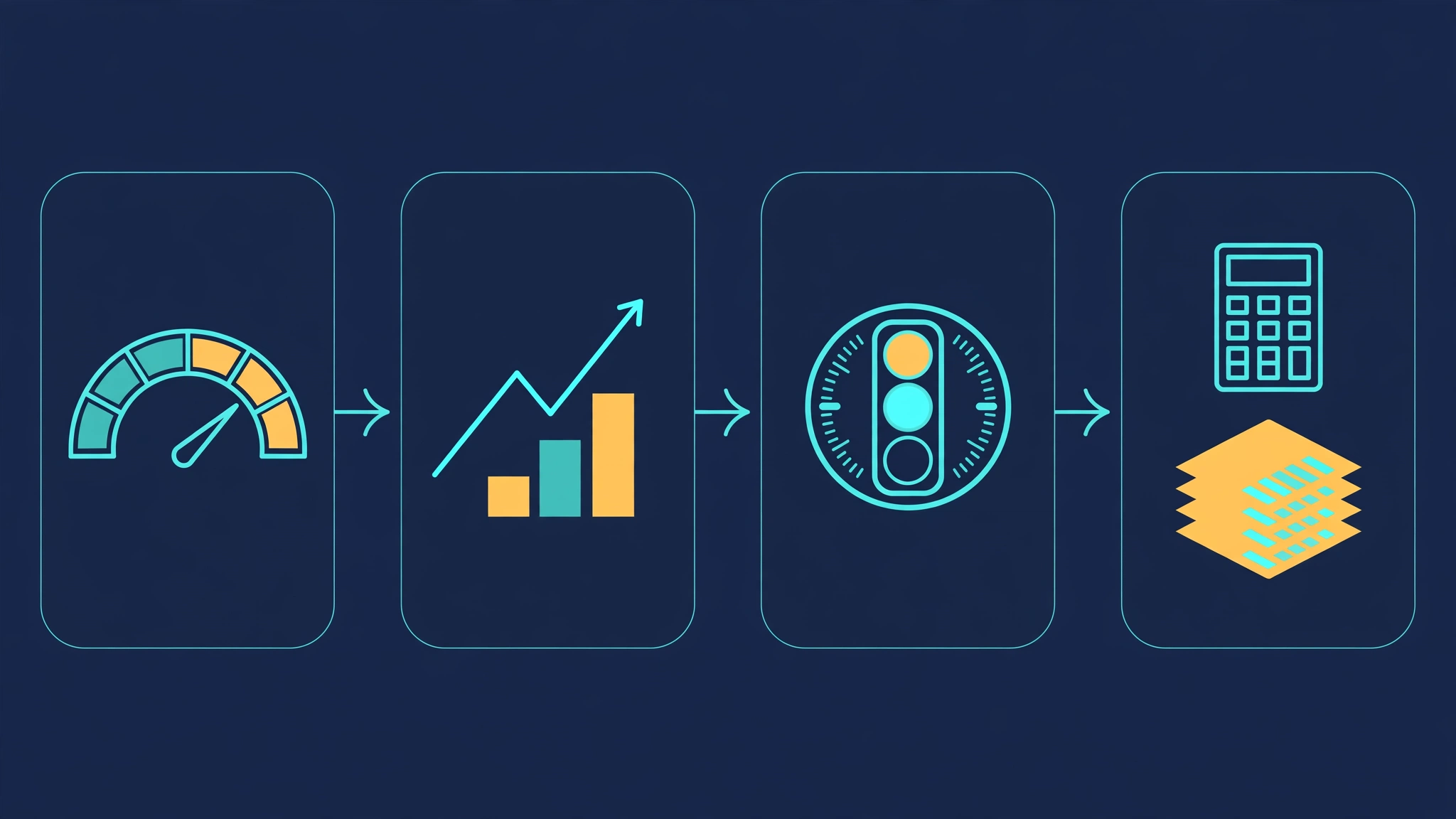
- The daily check: the market-regime-daily workflow takes 15 minutes before the open: breadth score, uptrend score, then an exposure coach that reconciles them into one posture.
- Verified this run: breadth 50.8/100 (Neutral), uptrend 34.1/100 (Cautious, Defensive 30–60%), exposure ceiling 12% with CASH_PRIORITY and LOW confidence on two inputs; position sizer: 153 shares at $155 on a $100,000 account risking 0.99%.
- The boundary: most screeners need a paid FMP key; the pack never places orders and is not a signal service — human decision gates stay central.

Most AI coding assistants will happily write you a trading bot. Claude Trading Skills does the opposite: it turns Claude Code into a disciplined investing process — market-regime checks before you risk anything, position sizing before you place an order, and a journal that forces you to review what actually happened. No signals, no auto-trading, no promises. Just the workflow a careful investor follows, encoded as skills an agent can run.
It is on GitHub's daily trending list today for a reason. The repository — tradermonty/claude-trading-skills — holds 74 skills covering the whole investing lifecycle, from market breadth to post-trade postmortems, and it works without a paid market-data subscription: the starter path runs on free public CSVs. I installed it, ran the full 15-minute daily check, sized a trade, and opened a thesis journal — all in a sandbox, with real output below. Every command in this tutorial ran exactly as written.
Why this is blowing up now#
Claude Code skills packs are not new — the blog has covered several, from Addy Osmani's engineering pack to Anthropic's own document skills. This one is different in two ways. First, the domain: it is the first skills pack of this size built for individual investors rather than developers. Second, the engineering: the skills are not loose prompt files. Each skill declares its integrations in a canonical index (skills-index.yaml), workflows are machine-readable manifests with decision gates and required artifacts, and the repo ships validators that check the index, the workflows, and skill documentation parity. The README's own framing is "first for self, open for others" — the author built it for his own trading process, then shared it.
The numbers: 4,007 stars and 854 forks on GitHub, 996 commits, MIT license, created October 2025, and a spot on GitHub's daily trending page on November 13, 2026. The pack ships 74 skills across market regime, core portfolio, dividend income, swing opportunities, trade planning, trade memory, and strategy research, plus 9 workflow manifests and pre-built .skill packages for Claude's web app.
What it does differently from the obvious alternatives is scope. A generic skills pack teaches your agent to write better code. This one teaches it to run a repeatable investing routine — and, crucially, to stop you: drawdown circuit breakers, pre-trade discipline gates, and an exposure coach that can answer "cash priority" are built into the workflow, not bolted on. The project states plainly that it is not a signal service, not financial advice, and does not place orders. Human decision gates stay central.
What you'll need#
- Claude Code (desktop or CLI) with a Claude account. Claude's web Skills are available on Free, Pro, Max, Team, and Enterprise plans; Claude Code has separate account requirements, and the Free plan does not include it.
- Python 3.9+ — the no-API skills run on the standard library plus
requests. The trade journal needspyyamlandjsonschema, which the repo resolves throughuvif available. - No API keys for the starter path. The five-skill starter set — market-breadth-analyzer, uptrend-analyzer, position-sizer, trader-memory-core, signal-postmortem — works with public CSVs, chart screenshots, and local files.
- Optional paid integrations, only when you outgrow the free path: FMP for screeners, FINVIZ Elite, and Alpaca for portfolio sync. Most screeners in the pack require FMP; the regime checks, sizing, and journaling do not.
- Cost: $0 beyond your Claude subscription for everything in this tutorial. The market data is free public CSVs hosted on GitHub Pages.
1. Install it#
There are two install paths. The one-command route uses the open skills CLI, which installs into 70+ agents:
npx skills add tradermonty/claude-trading-skills            # install all skills
npx skills add tradermonty/claude-trading-skills --list     # browse before installing
For individual skills, add --skill <name>. The manual route — the one I verified end to end — is a clone plus a copy. Claude Code picks up any skill folder placed under ~/.claude/skills/ for personal use, or .claude/skills/ inside a project:
git clone https://github.com/tradermonty/claude-trading-skills.git
cd claude-trading-skills
mkdir -p ~/.claude/skills
cp -r skills/market-breadth-analyzer skills/uptrend-analyzer \
  skills/exposure-coach skills/position-sizer \
  skills/trader-memory-core ~/.claude/skills/
Verify the install by listing the directory — you should see the five folders — and confirm the repo's own index is intact:
ls ~/.claude/skills/
python3 scripts/validate_skills_index.py   # prints OK when the index matches the skills on disk
Claude Code detects changes in an existing skills directory automatically; restart it only if you created the top-level skills directory after the session started. If you prefer the web app, the repo ships pre-built .skill archives under skill-packages/ — upload one under Customize > Skills after enabling code execution and file creation in Settings > Capabilities.
2. Run the 15-minute daily market check#
The pack's recommended starting point is the market-regime-daily workflow: a 15-minute, beginner-level routine to run before the market opens or in the first 30 minutes after. Its manifest (workflows/market-regime-daily.yaml) names three required skills — market-breadth-analyzer, uptrend-analyzer, exposure-coach — and two optional ones. The workflow's own warning matters: do not use its output as a standalone buy/sell signal. The exposure decision is a posture — allow, restrict, or cash-priority — not a directive.
In Claude Code you would ask for the daily check and let the agent run the skills. The scripts behind the skills also run standalone, which is how I verified them. Step one is the breadth analyzer, which fetches the author's public CSVs and scores six components from 0 to 100:
mkdir -p reports/breadth
python3 skills/market-breadth-analyzer/scripts/market_breadth_analyzer.py \
  --detail-url "https://tradermonty.github.io/market-breadth-analysis/market_breadth_data.csv" \
  --summary-url "https://tradermonty.github.io/market-breadth-analysis/market_breadth_summary.csv" \
  --output-dir reports/breadth
On November 13, 2026, this fetched 2,512 rows of breadth data running from November 2016 to November 12, 2026, and reported data one day old. The composite came out at 50.8/100 — Neutral, with 60–75% equity exposure. The six components: breadth level and trend 62, 8MA vs 200MA crossover 50, peak/trough cycle position 45, bearish signal status 50, historical percentile 50, and S&P 500 vs breadth divergence 38 — the weakest, with both the index and breadth falling over 60 days. The script writes JSON and Markdown reports into the output directory.
Step two is the uptrend analyzer, which reads the author's Uptrend Ratio Dashboard data — about 2,800 US stocks across 11 sectors — and scores five components:
mkdir -p reports/uptrend
python3 skills/uptrend-analyzer/scripts/uptrend_analyzer.py \
  --output-dir reports/uptrend
The same morning it returned 34.1/100 — Cautious, with Defensive (30–60%) exposure guidance, after a −3 warning penalty on a raw 37.1. Sector rotation was the strongest component at 56; overall market breadth was the weakest at 29. Note the disagreement with the first score: breadth says neutral, uptrend says cautious. They measure different things — the first scores the level and trend of participation, the second scores uptrend ratios and sector participation — and the workflow's third step exists precisely to reconcile them.
Step three is the exposure coach, which takes the JSON reports from the earlier skills and produces a one-page Market Posture summary with a net exposure ceiling and a bias:
cp reports/breadth/market_breadth_*.json reports/breadth_latest.json
cp reports/uptrend/uptrend_analysis_*.json reports/uptrend_latest.json
mkdir -p reports/exposure
python3 skills/exposure-coach/scripts/calculate_exposure.py \
  --breadth reports/breadth_latest.json \
  --uptrend reports/uptrend_latest.json \
  --output-dir reports/exposure
With only those two inputs it returned an exposure ceiling of 12%, a CASH_PRIORITY recommendation, NEUTRAL bias, and LOW confidence. That low confidence is the honest part: the script accepts partial inputs and says so — missing files reduce confidence but do not block execution. Feed it the full set (regime, top-risk, follow-through-day, theme, sector, institutional flow) and the ceiling rises; the README's own example shows a 36% ceiling with fuller inputs. The output is a posture for human review, not an order. In practice, that is the whole point of the routine: fifteen minutes, two scores, one ceiling, and a written reason to stay out of new risk today.

3. Size the trade before you place it#
The position-sizer is the skill you run when a setup passes the regime check. It calculates how many shares to buy from risk, not from conviction, and it needs no API key — Python 3.9+ with the standard library only. Three methods: fixed fractional (risk a fixed percentage of account equity per trade, default 1%), ATR-based (volatility-adjusted stops), and Kelly criterion (optimal allocation from win/loss statistics). Portfolio constraints — maximum position percentage and maximum sector percentage — apply to all three.
The fixed-fractional example from the skill's own documentation, run verbatim:
mkdir -p reports
python3 skills/position-sizer/scripts/position_sizer.py \
  --account-size 100000 \
  --entry 155 \
  --stop 148.50 \
  --risk-pct 1.0 \
  --output-dir reports/
Output: 153 shares at $155, a $23,715 position, risking $994.50 — 0.99% of the account. The math is transparent: $1,000 of risk budget divided by $6.50 of risk per share gives 153 shares, rounded down to whole shares. Add --fractional --share-precision 4 when your broker supports fractional shares; the ATR variant swaps --stop for --atr 3.20 --atr-multiplier 2.0. The script writes a JSON and a Markdown report with the full risk breakdown, which is the artifact you attach to the thesis in the next step.
4. Journal the thesis so you can learn from it#
The trade-memory-core skill is the persistent state layer: one thesis object per investment idea, tracked from screening idea to closed position with a postmortem. Theses move through IDEA → ENTRY_READY → ACTIVE → CLOSED, and you can attach the position-sizer output to a thesis, check which theses are due for review, and generate a postmortem with P&L and MAE/MFE analysis when a position closes. An FMP key is optional and only used for MAE/MFE calculation in the postmortem.
The journal is a small CLI with three subcommands — store, ingest, and review — routed through a launcher that resolves the repo's pinned jsonschema dependency via uv when it is available:
python3 skills/trader-memory-core/scripts/trader_memory_cli.py \
  store --state-dir state/theses list
On a fresh state directory this prints [] and exits 0 — the journal is empty, which is the correct starting state. In Claude Code the agent drives the same CLI: you say "register thesis," give it the screener output and the sizer report, and it records the idea with its thesis, invalidation level, and review date. The monthly performance review workflow then reads these theses back and produces a digest with win rate, expectancy, and pattern analysis. This is the part most trading tools skip, and it is the part that compounds: the weekly performance digest in the README's own example shows four fictional closed trades with a 50% win rate and $75 realized profit — illustrative, not a live reading — but the mechanism that produces it is real and runs on your own journal.
When to use this vs alternatives#
| Option | Use it when | Watch out for |
|---|---|---|
| Claude Trading Skills | You want a full investing process — regime, screen, plan, size, journal, review — inside Claude Code, starting free | Most screeners need a paid FMP key; the free path covers regime, sizing, and journaling |
| Addy Osmani's agent-skills | Your agent's job is writing better software, not investing | 25 lifecycle skills for engineering discipline; no market content at all |
| Anthropic's official agent skills | You need document workflows — docx, xlsx, pptx, PDF — inside Claude | General-purpose; nothing trading-specific |
| A signal service or auto-trading bot | You want someone else's calls executed for you | This pack explicitly is not that — no signals, no order placement, human gates throughout |
| A spreadsheet and a brokerage screener | You trade rarely and already have a routine that works | You lose the journaling, the gates, and the enforced sequence — which is most of the value here |
The honest boundary is the FMP line. The free starter path — breadth, uptrend, sizing, journaling, postmortem — is genuinely complete for the daily routine in this tutorial. The moment you want the CANSLIM, VCP, or dividend screeners to find candidates for you, you need a Financial Modeling Prep key, and the Finviz and Alpaca integrations are optional extras on top. Start free, add the key only when the routine is already a habit.
The takeaway#
Claude Trading Skills earns its trending spot by treating investing as a process with gates, not as a stream of tips. Install five skills, run the 15-minute daily check before the open, size every trade from risk before you place it, and journal the thesis so the postmortem has something to work with. On the morning I tested it, the two breadth scores disagreed — 50.8 neutral against 34.1 cautious — and the exposure coach resolved the disagreement the way it should: a 12% ceiling, cash priority, low confidence, and an explicit invitation to feed it more evidence. That is what a good investing workflow looks like. It does not tell you what to buy. It tells you, with numbers and a paper trail, when to wait.
Sources#
- tradermonty/claude-trading-skills on GitHub — the repository, README, install paths, skill catalog, and API requirements; 4,007 stars, 854 forks, MIT license, verified November 13, 2026.
- skills/market-breadth-analyzer/SKILL.md — the six-component scoring system, CSV sources, and the exact analyzer command.
- skills/position-sizer/SKILL.md — the three sizing methods, prerequisites, and the worked fixed-fractional example.
- workflows/market-regime-daily.yaml — the 15-minute daily workflow manifest: required skills, timing, and the exposure-posture warning.
- Claude Trading Skills documentation site — the navigable skill catalog, workflow guides, and quality dashboard.
- GitHub Trending — daily — claude-trading-skills on the daily trending list, verified November 13, 2026.