Liquid AI d1-3B, hands-on: a decision model that answers in probabilities, not prose
Liquid AI's d1-3B answers questions with calibrated probabilities instead of text — and it runs on your own machine. This tutorial serves it locally with llama.cpp, builds a confidence-gated ticket router, and tests it on photos and receipts, with every number measured on a 4-core CPU.
- Decision models answer by scoring your options in one forward pass — no generated text, and
output_tokensis always 0. - d1-3B: 3.12B parameters, Decision Index 48.57 — the best of any model under 10B, on par with Decider 35B-A3B. Its hosted sibling d1.3-ultra leads the index v2.1 at 76.4.
- Three question types:
noulgives P(yes);choicegives the winner plus a probability per option and a confidence;scoregives the expected level on an ordered scale. - Locally, it is one endpoint: llama.cpp b12823 +
d1-3B-Q4_K_M.gguf(1.67 GB) +mmproj-d1-3B-Q8_0.gguf(583 MB), thenPOST /v1/systemone. - License matters: LFM Open License v1.0 — commercial use is licensed only for organisations under $10M in annual revenue.

Yesterday, Liquid AI's d1.3-ultra took the top spot on Artificial Analysis's Decision Index at 76.4 — the best score of the 27 decision models the firm tracks. There is a catch if you want to try it yourself: d1.3-ultra is hosted-only. You can call it through Liquid's console and API, but you cannot download it.
Its open-weight sibling, d1-3B, is a different story. Liquid published the weights on Hugging Face in October, and the model runs on ordinary hardware through llama.cpp — no GPU, no API key, no account. This tutorial installs it, serves it locally, and puts it to work on the two jobs decision models exist for: routing text (support tickets) and judging images (visual inspection). Every number below was measured on a 4-core CPU virtual machine with no GPU, using the exact commands in the steps.
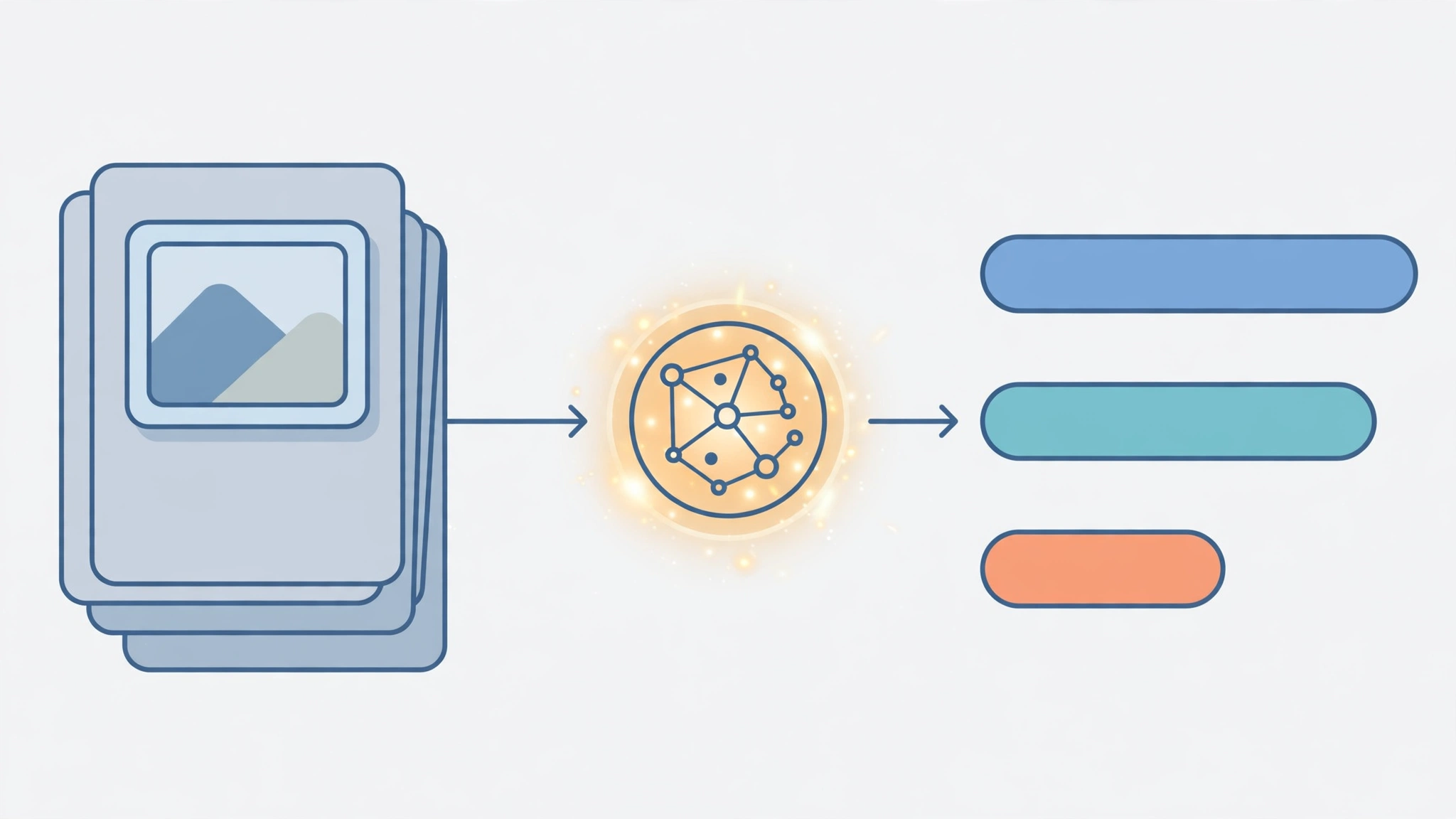
First, the idea, because it is genuinely different from a chatbot. A chat model answers by generating text, one token at a time. A decision model never generates anything. You hand it a state — a ticket, a JSON record, a photo — plus a set of typed questions with fixed answers, and it scores every option in a single forward pass. The answer is always one of your options, with a probability attached. That is the whole trick, and it is what makes decision models useful as infrastructure: the output is a number your code can branch on, not a paragraph your code has to parse.
What you'll need#
- A Linux or macOS machine with about 2.5 GB of free disk and 4 GB of RAM. The steps below ran on a 4-core CPU virtual machine with no GPU; a laptop is faster.
- llama.cpp, release b12823 (November 28, 2026) or newer — d1 support landed in b11483, and the
/v1/systemoneendpoint in the October builds. Older releases will not serve this model. - Two files from Hugging Face:
d1-3B-Q4_K_M.gguf(1,674,456,672 bytes) andmmproj-d1-3B-Q8_0.gguf(583,109,728 bytes), both fromLiquidAI/d1-3B-GGUF. - Python 3.10+ with
requestsandpillowfor the client scripts. No API key anywhere in this tutorial. - One thing to read before you ship anything with it: d1-3B is released under the LFM Open License v1.0, not Apache or MIT. Commercial use is licensed only for organisations under $10 million in annual revenue; above that threshold, commercial use is not licensed. Non-commercial and research use is unrestricted. Check the license text in the model repo before putting the model in a product.
About the numbers Liquid publishes for this model: d1-3B scores 48.57 on the Decision Index v0.2.1, the best of any model under 10B parameters and on par with Decider 35B-A3B, a model roughly twelve times its size. On Liquid's own hardware measurements it answers one question in 8 ms on an RTX 4090 and 50 ms on a Jetson Orin Nano. You will not see those numbers on a CPU — Step 7 measures what a CPU actually gives you, which is the honest figure for a laptop deployment.
Step 1 — Get llama.cpp#
llama.cpp ships prebuilt Linux binaries on every release. Download the current one and check it runs:
curl -sSL -o llama-b12823.tar.gz \
  https://github.com/ggml-org/llama.cpp/releases/download/b12823/llama-b12823-bin-ubuntu-x64.tar.gz
mkdir -p llama-bin
tar xzf llama-b12823.tar.gz -C llama-bin --strip-components=1 \
  llama-b12823/llama-server \
  llama-b12823/libllama-server-impl.so \
  llama-b12823/libllama-common.so.1.1.0 llama-b12823/libllama-common.so.1 llama-b12823/libllama-common.so \
  llama-b12823/libllama.so.1.1.0 llama-b12823/libllama.so.1 llama-b12823/libllama.so \
  llama-b12823/libmtmd.so.1.1.0 llama-b12823/libmtmd.so.1 llama-b12823/libmtmd.so \
  llama-b12823/libggml.so.1.1.1 llama-b12823/libggml.so.1 llama-b12823/libggml.so \
  llama-b12823/libggml-base.so.1.1.1 llama-b12823/libggml-base.so.1 llama-b12823/libggml-base.so \
  llama-b12823/libggml-cpu-zen4.so llama-b12823/libggml-cpu-x64.so
LD_LIBRARY_PATH=$PWD/llama-bin $PWD/llama-bin/llama-server --version
Expected output:
version: 1.1.0-dev (build 12823, commit 3ab385146)
built with GNU 11.4.0 for Linux x86_64
Two notes on that extract command. First, the tarball contains every CPU variant library (about 550 MB unpacked), so this extracts only the server and the libraries it links against — roughly 27 MB. Second, pick the libggml-cpu-*.so that matches your processor: zen4 on AMD Zen 4/5, icelake or skylakex on modern Intel, x64 as the safe fallback. The server selects the best available variant at runtime; if you extract the wrong one it falls back to the generic build, slower but working.
Step 2 — Download d1-3B and its vision projector#
The model file is the 3.12-billion-parameter network quantised to 4 bits. The projector file is the small adapter that lets the same model read images; without it, image questions fail. Download both with the Hugging Face CLI:
pip install huggingface_hub
hf download LiquidAI/d1-3B-GGUF d1-3B-Q4_K_M.gguf --local-dir ./d1-3b
hf download LiquidAI/d1-3B-GGUF mmproj-d1-3B-Q8_0.gguf --local-dir ./d1-3b
Confirm the sizes — these are the exact byte counts of the files this tutorial ran against:
ls -la d1-3b/
# d1-3B-Q4_K_M.gguf      1674456672 bytes
# mmproj-d1-3B-Q8_0.gguf  583109728 bytes
If the sizes differ, you have a different revision or a truncated download; re-download before continuing. Liquid also publishes Q8_0 (2.9 GB) and full-precision BF16 (5.4 GB) builds of the same weights. Q4_K_M is the right default on a CPU: the community measurements on these exact files show Q4_K_M agreeing with the full-precision model on about 97% of decisions, and it loads in roughly a third of the memory.
Step 3 — Start the server#
LD_LIBRARY_PATH=$PWD/llama-bin $PWD/llama-bin/llama-server \
  -m ./d1-3b/d1-3B-Q4_K_M.gguf \
  --mmproj ./d1-3b/mmproj-d1-3B-Q8_0.gguf \
  -c 2048 -t 4 --port 8080 --host 127.0.0.1
The flags: -m is the model, --mmproj is the vision projector, -c 2048 caps the context at 2,048 tokens (decision states are short; a larger context only costs RAM), and -t 4 is four CPU threads. The server prints a wall of startup lines and then sits ready. Check it:
curl -s http://127.0.0.1:8080/health
# {"status":"ok"}
curl -s http://127.0.0.1:8080/v1/models | python3 -m json.tool | head -20
The models list reports the model with "output_modalities": ["decisions"] — that is how you know llama.cpp recognised it as a decision model rather than a chat model. If you started the server without --mmproj, text decisions still work; image decisions return an error. Keep the server running for the rest of the tutorial.
Step 4 — Your first decision: three questions, one pass#
Every request to /v1/systemone has the same shape: a state and a set of named questions. There are three question types:
noul— a yes/no question. The answer is P(yes), a number from 0 to 1.choice— pick one of several named options. You get the winner, a probability for every option, and aconfidence.score— an ordered scale of 2 to 10 levels, listed lowest first. You get the expected level (which can fall between two levels), the probability of each level, and a confidence.
Send the example from Liquid's own model card — one customer message, three questions about it:
curl -s http://127.0.0.1:8080/v1/systemone \
  -H "Content-Type: application/json" \
  -d '{
    "state": "I was charged twice this month, please refund one of them.",
    "questions": {
      "refund": {
        "type": "noul",
        "instructions": "Is the customer asking for a refund?"
      },
      "team": {
        "type": "choice",
        "instructions": "Which team should handle this?",
        "criteria": {
          "billing": "Charges, refunds, invoices",
          "technical": "App or site faults",
          "shipping": "Delivery, tracking, lost or late parcels"
        }
      },
      "urgency": {
        "type": "score",
        "instructions": "How urgent is this?",
        "criteria": ["Can wait", "Today", "Blocking the customer now"]
      }
    }
  }' | python3 -m json.tool
On this machine the response was:
{
  "answers": {
    "refund": {"type": "noul", "noul": 0.991},
    "team": {
      "type": "choice",
      "choice": "billing",
      "probabilities": {"billing": 0.986, "technical": 0.009, "shipping": 0.004},
      "confidence": 0.980
    },
    "urgency": {
      "type": "score",
      "score": 0.72,
      "legend": {"0": "Can wait", "1": "Today", "2": "Blocking the customer now"},
      "probabilities": {"0": 0.358, "1": 0.561, "2": 0.081},
      "confidence": 0.34
    }
  },
  "usage": {"input_tokens": 158, "output_tokens": 0}
}
Read the response carefully, because it shows the whole design. The refund question returns a single probability. The team question returns a full distribution — not just the winner — so your code can see how close the runner-up was. The urgency score is 0.72 on a 0–2 scale, which lands between "Can wait" and "Today", leaning toward "Today": a fractional expected level, not a forced bucket. Note the confidence of 0.34 on that one — the model is genuinely torn between the two levels, and it says so. And output_tokens is 0, always. The model generated nothing; it read the state once and scored everything. That is also why three questions cost barely more than one — the state is read once for all of them.
One practical tip from llama.cpp's own documentation: describe your options. Bare labels misroute. In their tests, a small decision model sent "I was charged twice" to shipping with bare labels and to billing at 0.99 once each option had a description. The criteria descriptions are doing real work, not decoration.
Step 5 — Build a triage router that knows when to ask a human#
A probability is only useful if your code does something with it. The standard pattern is a confidence gate: act automatically when the model is sure, send the rest to a human. Here is the complete router — save it as triage.py and point it at the server from Step 3:
import requests

BASE = "http://127.0.0.1:8080/v1/systemone"
TEAM = {
    "type": "choice",
    "instructions": "Which team should handle this?",
    "criteria": {
        "billing": "Charges, refunds, invoices",
        "technical": "App or site faults",
        "shipping": "Delivery, tracking, lost or late parcels",
    },
}
REFUND = {"type": "noul", "instructions": "Is the customer asking for a refund?"}

# Act automatically only above this confidence; below it, a human looks.
AUTO_THRESHOLD = 0.90

def route(ticket):
    r = requests.post(BASE, json={"state": ticket,
                                  "questions": {"team": TEAM, "refund": REFUND}},
                      timeout=300)
    r.raise_for_status()
    a = r.json()["answers"]
    team, refund = a["team"], a["refund"]
    if team["confidence"] >= AUTO_THRESHOLD:
        return {"route": team["choice"], "refund": refund["noul"] > 0.5,
                "confidence": team["confidence"], "auto": True}
    return {"route": "human-triage", "refund": refund["noul"] > 0.5,
            "confidence": team["confidence"], "auto": False}

if __name__ == "__main__":
    for t in ["I was charged twice this month, please refund one of them.",
              "Where is my parcel? It was due Monday and tracking hasn't moved.",
              "Hi, quick question about my account."]:
        print(route(t))
The threshold is the load-bearing choice, and the only honest way to pick it is to measure. I ran twelve hand-labelled tickets through the router — four billing, five shipping, three technical, with four of them asking for a refund — and scored the team routing and the refund call:
- Team routing: 11/12 correct (91.7%).
- Refund detection: 12/12 correct (100%).
- Mean confidence on correct routings: 0.88. Mean confidence on wrong routings: 0.77.
The single miss is instructive: “The download link for my invoice PDF returns a 404 error” went to billing at 0.77 confidence — the word “invoice” outweighed the 404. And confidence is not accuracy: the wrong-item ticket (“I ordered blue, got red”) was routed correctly at just 0.25 confidence, while the triple-charge ticket’s refund call sat at 0.59 — barely above even odds. The probabilities are informative, not oracular: the gate, not the top label, is what makes the system safe.
Two deliberately vague tickets show why the gate matters. "I bought the wrong size by mistake, can I exchange it?" came back billing at 0.71 probability (confidence 0.57) — an exchange question misread as a billing question, but with a confidence far below the 0.90 gate. "Hi, quick question about my account." came back billing at 0.86 (confidence 0.79) — again below the 0.90 gate, though close enough to show the threshold choice matters: a 0.75 gate would have auto-routed a ticket with no content at all. A router that auto-assigns on either of those is guessing; a router with a 0.90 gate sends both to a human, which is the correct behaviour for inputs that carry almost no signal. The lesson is not "pick 0.90" — it is "pick the threshold from your own labelled examples, per model, before you automate anything." A vague ticket that scores 0.25 on one decision model can score 0.80 on another; the cutoff does not transfer.
Step 6 — Image decisions: the same endpoint reads pictures#
This is the part the smaller decision models cannot do. d1-3B is built on a vision-language backbone, so the same endpoint answers questions about images — pass them as data URLs in an images array. Two tests, both run against this server.
First, the photo from Liquid's own model card — two cats on a sofa:
import base64, requests

with open("cats.jpg", "rb") as f:
    img = "data:image/jpeg;base64," + base64.b64encode(f.read()).decode()

r = requests.post("http://127.0.0.1:8080/v1/systemone", json={
    "state": None,
    "images": [img],
    "questions": {
        "cats": {"type": "choice",
                 "instructions": "How many cats are there?",
                 "criteria": {"one": "One", "two": "Two", "more": "Three or more"}}
    }}, timeout=300)
print(r.json()["answers"])
# {"cats": {"type": "choice", "choice": "two",
#            "probabilities": {"one": 0.006, "two": 0.986, "more": 0.008}, "confidence": 0.98}}
Correct: there are two cats, and the model said so at 0.98 confidence. Note "state": None — when the image is the whole state, there is no text at all.
Second, a harder test: a synthetic receipt image (drawn with PIL, total $47.50) with two questions — what kind of document it is, and whether the total is over $40:
r = requests.post("http://127.0.0.1:8080/v1/systemone", json={
    "state": "A file uploaded by a customer.",
    "images": [receipt_data_url],
    "questions": {
        "kind": {"type": "choice",
                 "instructions": "What kind of document is this?",
                 "criteria": {"invoice": None, "receipt": None,
                              "contract": None, "other": None}},
        "over40": {"type": "noul",
                   "instructions": "Does this receipt show a total over $40?"}
    }}, timeout=300)
print(r.json()["answers"])
# {"kind": {"type": "choice", "choice": "receipt", ...},
#  "over40": {"type": "noul", "noul": 0.987}}
Both answers were right: “receipt” at 0.94 probability (0.91 confidence), and P(total over $40) = 0.987 — the total printed on the image is $47.50. That is the visual-inspection use case in miniature: a document comes in, and one forward pass classifies it and checks a value on it, with probabilities your code can act on. The same pattern covers "is this screenshot showing an error?", "does this photo show damage?", and "which of these two product photos matches the listing?" — all without a vision API bill, and without the image leaving your machine.

Step 7 — Measure it: latency, batching, and calibration#
Liquid's headline numbers are GPU numbers. Here is what the same model does on a 4-core CPU with no GPU, measured with five sequential single-question calls:
- Median single-question latency: 2.72 seconds (mean 2.92 s across the five calls).
- Three questions in one call took 6.3 seconds in Step 4 — barely more than a single question, because the state is read once.
- Image questions took 26.4 s (cats photo) and 27.1 s (receipt) — the vision tower costs real time on a CPU, but both stayed well under a minute.
That is roughly two orders of magnitude slower than Liquid's 8 ms on an RTX 4090, and it is the number that matters if you deploy on a CPU: about 2.72 seconds per decision, or roughly 22 decisions a minute, single-threaded. Three things move it. First, batch your questions: one call with three questions is nearly free compared with three calls. Second, send concurrent requests — llama.cpp batches them server-side. Third, use a GPU if you have one; the same weights run there, and the 8 ms figure is real on a 4090.
On calibration, the honest summary is that the probabilities behave like probabilities on this small test: correct routings averaged 0.88 confidence against 0.77 for the single miss — directionally right, but with a wide spread: one correct routing scored just 0.25. On twelve tickets you can see the signal; you cannot certify it. Twelve tickets is not a calibration study — it is a smoke test. Before trusting the probabilities for money decisions, run a few hundred of your own labelled examples and check that "90% confident" is right about 90% of the time. The model gives you the numbers to do that check; a chat model does not.
Which approach should you use?#
| Approach | Best when | Watch out for |
|---|---|---|
| d1-3B, local (this tutorial) | Data must stay on your machine; you need images + text; volume is moderate; you want zero per-decision cost | CPU latency (~2.72 s/decision); LFM license revenue cap; you pick the confidence threshold yourself |
| d1.3-ultra, hosted | You want the best Decision Index score (76.4) and sub-second answers with no infrastructure | Hosted-only, no weights; $0.042 per million input tokens; data leaves your network |
| LLM-as-a-judge (prompt a chat model) | Open-ended criteria that cannot be listed as options; you already pay for a frontier API | Output is text to parse; no calibrated probabilities; per-token cost on every call; slower |
| Small classifier (e.g. a fine-tuned BERT) | One fixed label set, high volume, latency budget under 50 ms on CPU | Needs labelled training data per task; no images; no new questions without retraining |
The decision model earns its place when the question set changes faster than you can retrain a classifier, but the answers still need to be numbers, not prose. Ticket triage, moderation queues, agent guardrails, and visual inspection all fit. Open-ended judgement does not — if the answer cannot be listed in advance, you still need a generative model.
What d1-3B can't do (yet)#
- It does not chat. There is no text output at all. Ask it an open question and you get a probability over the options you supplied, which is the wrong tool for the job.
- The new d1.2/d1.3 capabilities are hosted-only. Rankings, extraction of numbers and dates from images and audio, and audio time spans arrived with the hosted d1.2 and d1.3-ultra models. The open d1-3B answers the three question types in this tutorial —
noul,choice,score— and nothing else through llama.cpp. (The transformers path exposes extraction and boxes; that path needs a GPU-sized machine and is out of scope here.) - My eval is twelve tickets, not a benchmark. Treat the accuracy figures above as a worked example of how to measure, not as a claim about the model. The serious numbers are Liquid's: 48.57 on the Decision Index v0.2.1 and the per-benchmark table on the model card.
- Calibration is a property of your data, not just the model. A confidence of 0.9 means something different on support tickets than on medical images. Measure on your own distribution before automating.
- Audio needs the sibling model. d1-3B takes text and images. Audio decisions need d1-omni-600M (or d1-omni-2B), which add an audio encoder — and, through llama.cpp today, audio still needs the transformers path.
The takeaway#
Decision models are a small idea with large consequences for plumbing: when the answer is a choice, ask for a choice, and get a probability back instead of a paragraph. d1-3B is the first open-weight model in this category that is also good — best under 10B on the Decision Index, multimodal, and runnable on a CPU you already own. Install llama.cpp b12823, download the two GGUF files, start the server, and you have a triage router, a moderation gate, and a visual inspector behind one endpoint that charges nothing per decision and sends nothing to anyone. The work that remains is yours, and it is the important part: label a few hundred of your own examples, pick the confidence threshold from them, and let the model auto-route only what it is sure about. Everything else goes to a human — that is not a limitation of the pattern, it is the pattern.