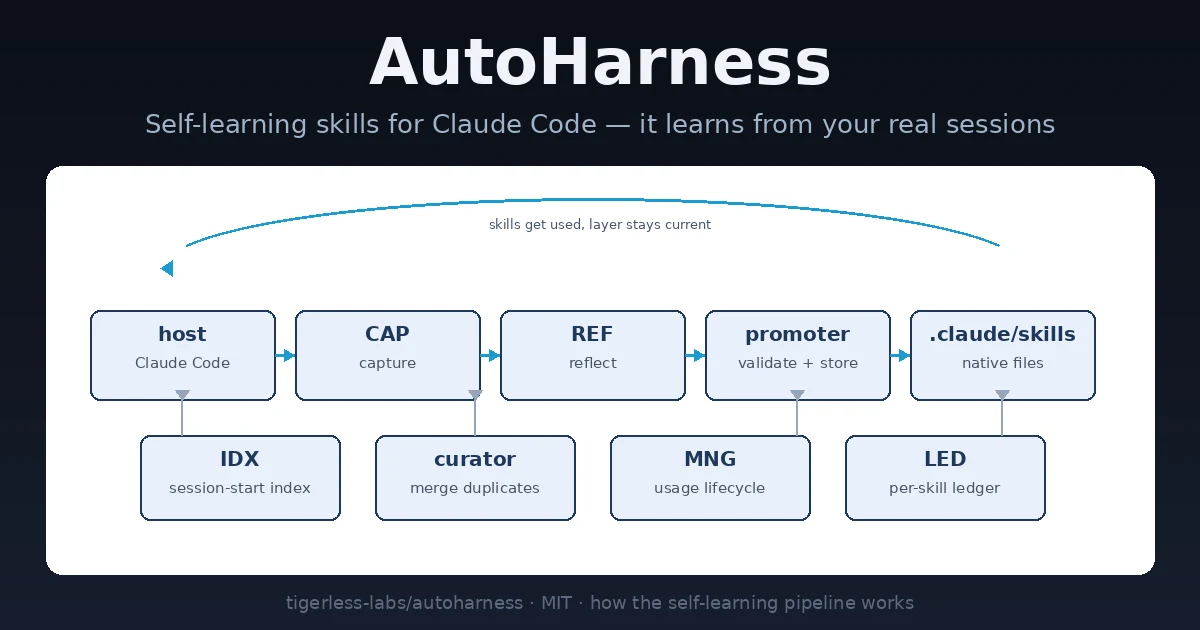
Every serious Claude Code user ends up with the same hand-maintained skill library: the deployment checklist, the repo conventions, the “always run the linter before you commit” note. Writing them is the easy part — the library rots. Duplicates pile up, a stale rule contradicts a new one, and nobody prunes. AutoHarness is the bet that the skill layer can maintain itself: it watches your real sessions, distills what you worked out into native skills, folds near-duplicates together, and archives the ones you stop using. Same model, different harness.
AutoHarness (tigerless-labs/autoharness, ~9,100 GitHub stars at the time of writing, MIT license) is having a week: it is currently the fastest-rising AI-skills repo on GitHub, and its own headline number is striking — 42% → 78% on CORE-Bench, with the only change being the harness around the model. The claim is the project’s own, but the mechanism is what matters here: a learning pipeline that runs beside Claude Code, validated not against a held-out benchmark but against whether you actually use the skills it writes. Here is the full hands-on.
SKILL.md files.python3 on your PATH. The plugin runs entirely as Python with zero third-party dependencies, and the hooks resolve a bare python3. The README warns explicitly: an older interpreter earlier on your PATH (Xcode ships 3.9.6 at /usr/bin/python3) turns every hook off for the session.Type these in the Claude Code input box — not your shell:
/plugin marketplace add tigerless-labs/autoharness
/plugin install autoharness@autoharness
Then run /reload-plugins (or restart Claude Code). That is the entire setup: zero config. It now watches your sessions and lands learned skills into .claude/skills/ in the background. The README is blunt about one naming subtlety if you ever test the MCP server outside the plugin: inside Claude Code the server is referenced as mcp__plugin_autoharness_stage_skill__stage_skill; the translation is automatic, so just install it as a plugin.
Learning fires on work done, counted in tool calls — the default is a reflection every 50 tool calls (AUTOHARNESS_REFLECT_EVERY_N), and the lifecycle knobs are tuned for hundreds of requests. For a fast-paced demo, shrink the knobs in .claude/settings.json, straight from the README’s own walkthrough:
{ "env": { "AUTOHARNESS_REFLECT_EVERY_N": "3",
           "AUTOHARNESS_MATURITY_PROJECT": "5",
           "AUTOHARNESS_CAPACITY_PROJECT": "2" } }
Hooks read the environment on every event, so a change applies from the next session. With the reflection cadence at 3, a working stretch of a few turns ends with a background reflection — nothing blocks your session.
/learnYou don’t have to wait for the background pass. After you work something out — a debugging sequence, a repo workflow, a command you kept re-deriving — type /learn in the input box. It distills the session you are in right now, and the lesson goes through the same proposal-and-validation chain the background pass uses. The reflector compares the episode against the existing skill index and decides: add, merge, patch, drop a support file, or delete — and it proposes only, it has no write tools of its own.
A demo of AutoHarness is just opening the right files in the right order. The bookkeeping lives in the state dir:
ls .claude/autoharness/        # per project — ~/.claude/autoharness/ for the global layer
  requests                     # layer request counter (the lifecycle denominator)
  session-<id>                 # tool calls counted toward the next reflection
  intents/                     # queued skill proposals awaiting the promoter
  runs/<run-id>.json           # what that run proposed, landed, and rejected — with reasons
  last_run.json                # the summary line awaiting the next session start
  snapshots/                   # skill-tree tarballs the curator takes before merging
And the skills themselves are native files the host recalls exactly as if you had written them:
.claude/skills/<name>/
  SKILL.md                     # the skill itself — nothing proprietary
  .ledger.jsonl                # LED: why it was born / changed (append-only)
  .sidecar.json                # lifecycle counters
  references/evidence-*.md     # the transcript slice that justified each ledger entry
cat .ledger.jsonl shows the paper trail — one JSON line per lifecycle event with action, reason, and evidence pointing at a redacted slice of the session that taught it. cat .sidecar.json shows the three counters the lifecycle keeps apart: use (the model actually loaded the skill), view (a session merely read into its directory), and patch (the skill was improved). Only loads count toward survival — a skill that was merely browsed can’t masquerade as one that was followed.

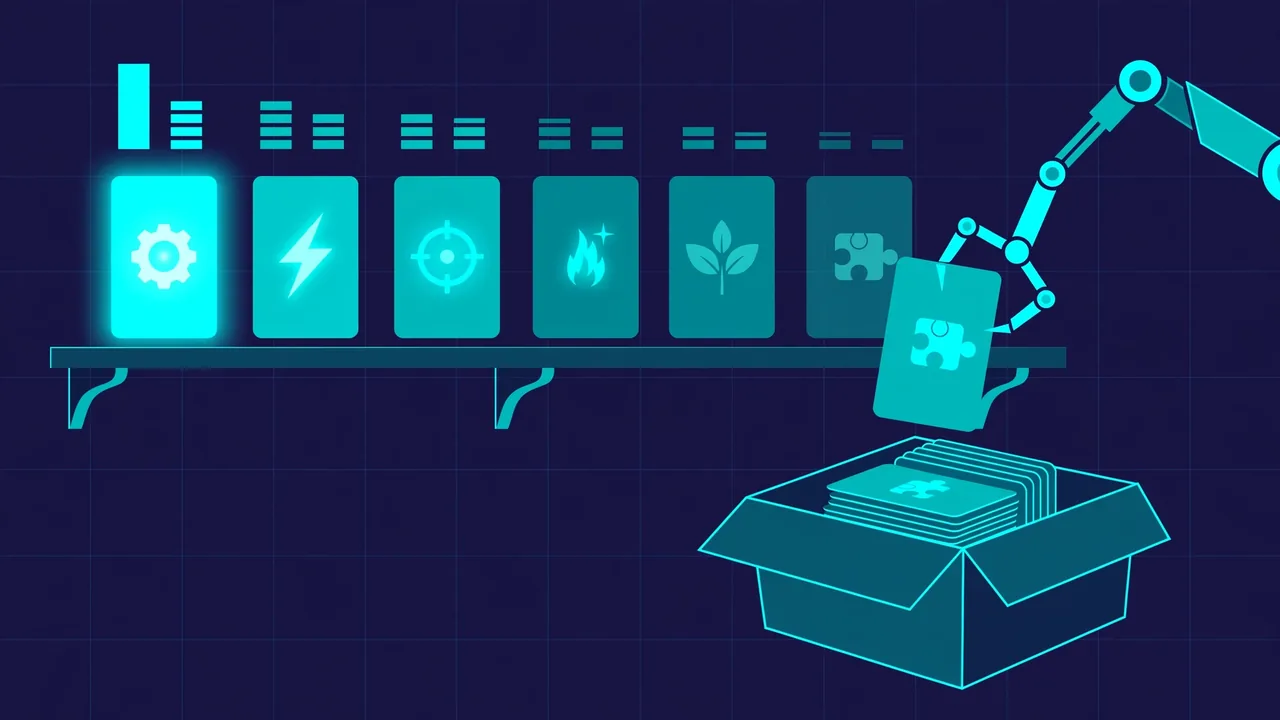
.claude/skills/ on the right — illustration generated for this article.Hit the same scenario again with a correction (“that’s missing a step”) and let the next reflection run. The layer does not grow a near-duplicate: the existing skill’s SKILL.md changes and its ledger appends a patch line. The rarer whole-library pass — the curator, every 250 tool calls by default — reads the library as one thing and folds same-scenario skills under umbrellas. A fold records which skill absorbed which, so a merge is never mistaken for a death, and the curator snapshots both skill trees before merging, since a merge is the one operation an atomic rename can’t undo.
A skill survives by being adhered to in later turns — loads over the requests it was available for — not by a held-out score. New skills sit in probation (100 requests at the project layer, 300 global) where they’re recalled normally but can’t be archived. After graduation, the only death is capacity contention: the mature pool is capped (50 project, 20 global), and past it the lowest usage rates go first. Retirement is an archive, never a delete — a folder moved to .claude/skills/.archive/<name>/, ledger and evidence intact, and moving it back revives it. Your own skills are invisible to all of this: every self-authored skill carries a ledger marker, and anything without it is left completely alone.
By default the plugin is quiet about its runs — the session-start summary reports one session late, counts but no names. If you want to hear about it as it happens:
export AUTOHARNESS_NOTIFY=desktop # osascript on macOS, notify-send on LinuxThat pushes a native notification per run: what landed and what was rejected, e.g. create foo, patch bar · rejected: baz. Rejected proposals stay visible instead of vanishing silently — the next session’s index line says so.
Update from a terminal — refresh the catalog first, then update by the full plugin@marketplace id, then restart Claude Code:
claude plugin marketplace update autoharness
claude plugin update autoharness@autoharness
The refresh is first on purpose: without it, update checks a stale local catalog and may report “already at the latest version” when a newer release shipped. Uninstalling only stops it from running — the skills it landed and its own state live outside the plugin and stay on disk. To clear those too, delete the state dir (~/.claude/autoharness/ global, <repo>/.claude/autoharness/ per project) and the self-authored skills under .claude/skills/.
A self-maintaining skill layer for your coding agent. The same working sessions you were already having now compound: lessons distill into native skills, near-duplicates merge instead of stacking, unused skills archive out of recall, and every decision is logged with its evidence in a per-skill ledger. The host’s native recall runs untouched underneath — each session just opens with a grouped index of the library, so the skills are in front of the model either way.
AUTOHARNESS_INDEX_SUSPENDED=1 stops the injection, but then the library depends on the host happening to recall it. The per-line description budget (AUTOHARNESS_INDEX_DESC_MAX_CHARS, default 60) is the dial.python3 is a hard requirement — an older interpreter earlier on PATH silently disables every hook, and the only symptom is the plugin quietly doing nothing.