Hermes Agent hands-on: install the self-improving agent that remembers you and runs your schedule
Every coding agent on the market starts each session from zero. Hermes Agent is the one that doesn't: it writes its own skills from experience, keeps its own notes about you, and runs scheduled jobs while you sleep. This tutorial installs v0.23.3, wires up a model, and proves the part that needs no model at all — a watchdog cron job that fired on schedule and delivered its report.
hermes doctor passes, 141 official skills are browsable, installing one works, and a no-agent cron watchdog fired on schedule with its output delivered to a local file — zero LLM calls. The free nous/welcome tier errored twice in this sandbox, so the live-chat, memory-recall, and Telegram steps are documented from the official docs and flagged as such.- The project: NousResearch/hermes-agent, 264,949 stars, 59,872 forks, MIT, created July 22, 2025. Stable release v0.23.3. GitHub AI radar had it in the core top 10 on November 13–15 at 263,100–263,600 stars; it gained roughly 1,600 stars in the six days to November 20.
- The idea: a closed learning loop. The agent creates skills after complex tasks, improves them during use, nudges itself to persist knowledge, searches its own past conversations, and builds a model of who you are across sessions — plus a built-in cron scheduler and a messaging gateway (Telegram, Discord, Slack, WhatsApp, Signal).
- Verified here: official install exit 0;
hermes --versionreports v0.23.3, Python 3.14.9, OpenAI SDK 2.54.0;hermes doctorpasses; config set/get/unset round-trips;hermes skills browseloads 141 official skills; installingofficial/mlops/accelerateworks; a no-agent cron job fired on schedule and delivered its output verbatim. - The honest limit: the free
nous/welcometier's anonymous endpoint returned a server error twice here (anon_server_errorin the log), so no live chat, memory-recall test, or Telegram run was possible in this sandbox — and no API key was available. Those steps are documented from the official quickstart and marked as not run. The install is about 2.5 GB on disk. - The cost: free tier exists (one per OS user, interactive terminal only); otherwise a Nous Portal subscription or your own provider key. The no-agent cron loop in this tutorial costs nothing.

Most agents are amnesiacs. You teach Claude Code your preferences on Monday; by Wednesday it has forgotten them, because every session starts from a blank slate and the only memory is whatever you paste back in. Hermes Agent is built on the opposite bet: that an agent should get better the longer you use it. It keeps two small files of notes about you, writes skills for itself after hard tasks, and runs scheduled jobs on its own — on a five-dollar VPS, not just your laptop.
The project is Nous Research's agent, and it is moving fast: 264,949 stars and 59,872 forks as of November 20, MIT-licensed, in GitHub's AI trending top 10 through November 13–15. It descends from the OpenClaw line — the setup wizard offers to import an OpenClaw, Claude Code, Codex, or Cursor setup wholesale, and keeps hermes claw migrate as the older spelling of the import command. What makes it worth your time is not the star count but the loop: memory, skills, and cron are built in rather than bolted on, and there is a mode — script-only cron jobs — that needs no model at all.
You will install Hermes Agent, choose a model, run the verification commands, install a skill from the hub, and set up a watchdog cron job that runs a script on schedule and delivers its output with zero LLM calls. The watchdog is the part this tutorial proves end to end, with the actual delivered file shown below. The chat, memory-recall, and Telegram steps are documented from the official quickstart and marked where they were not run here, because the free tier's anonymous endpoint returned a server error twice in this sandbox — see the verification section for the exact error.
What you will need#
- Linux, macOS, or WSL2 (Windows has a native PowerShell installer). This tutorial ran on a Linux VM.
- About 2.5 GB of free disk. Measured here: a 609 MB checkout, 1.1 GB of tools (FFmpeg, Python 3.14, Node, pnpm, ripgrep, uv), and the rest the Python virtual environment.
- A model. The free tier (
nous/welcome, no account, no API key) if it works for you, or your own key — OpenRouter, OpenAI, Anthropic, Google AI Studio, DeepSeek, and dozens more, or a Nous Portal subscription. The model needs at least 64,000 tokens of context; Hermes refuses smaller windows at startup. - No GPU, no account, no API key for the watchdog in Step 6 — that part runs with no model at all.
- About 20 minutes wall-clock, most of it the install downloading tools and dependencies.
Step 1 — Install it#
The official install is a one-liner from the project's own site, the same command the README and the quickstart print:
curl -fsSL https://hermes-agent.nousresearch.com/install.sh | bashOn Windows, the equivalent in PowerShell is iex (irm https://hermes-agent.nousresearch.com/install.ps1). The installer clones the repo into ~/.hermes (or wherever HERMES_HOME points), then fetches its own toolchain — uv, Python 3.14, Node, pnpm, ripgrep, FFmpeg — and builds the virtual environment. If you run it with flags, bash install.sh --non-interactive --skip-browser --skip-computer-use skips the browser and the computer-use setup.
In this run the install completed with exit 0 and printed Install complete!. Two things are worth knowing before you start. First, the installer needs the full 2.5 GB on the filesystem it lands on — in this sandbox the default home directory hit its quota mid-clone, and the fix was to point HERMES_HOME at a roomier path and re-run. Second, the uv sync stage timed out twice on PyPI downloads in this run and succeeded on a retry; if it does, re-running the installer is the documented recovery, not a fresh checkout.
Verify the install:
hermes --version
hermes doctor
Expected output for the first, exactly as measured here:
Hermes Agent v0.23.3 (2026.9.24) · stable · local caafe5389ae5
Python 3.14.9 · OpenAI SDK 2.54.0
hermes doctor passes, with two optional warnings if you have not installed the messaging libraries: python-telegram-bot and discord.py not installed. Those matter only for the Telegram and Discord gateways in Step 7; the core agent does not need them. If hermes is not on your PATH after the install, the installer tells you to reload your shell (source ~/.bashrc) — the launcher lives in ~/.local/bin/hermes.
Step 2 — Power it: choose a model#
Run the setup wizard:
hermes setupIt detects existing agent setups first — in this sandbox it found OpenClaw, Claude Code, Codex, and Cursor directories and offered to import one, with an option to skip. Then it asks how you want to power the agent:
How do you want to power your agent?
  1. Free, start now — no account, no API key
  2. Sign in to Nous Portal
  3. Use my own API key
  4. Use a local model (Ollama / llama.cpp)
  5. Skip — configure later
Option 1 is the free tier: the nous/welcome model, no account, no key, once per OS user, and it only works in an interactive terminal. Option 2 signs you into Nous Portal, which gives 300+ models plus the Tool Gateway. Option 3 takes your own key for OpenRouter, OpenAI, Anthropic, Google AI Studio, DeepSeek, or a custom endpoint. Option 4 points at a local server. Option 5 leaves the agent unconfigured, which is a valid choice if you only want the no-model cron jobs in Step 6.
What happened here: option 1 was chosen twice, and twice the wizard ended with The Nous service had a hiccup. Try again in a moment. The log (~/.hermes/logs/agent.log) shows the cause: Nous free tier not set up (anon_server_error, attempt 1, next try in 15s) at 20:09:52 and again at 20:10:59 UTC. The free tier mints an anonymous account by calling POST /api/anonymous/create on welcome-api.nousresearch.com; that endpoint returned a 5xx or non-JSON response, while the portal and docs sites returned HTTP 200 — so this was the anonymous endpoint failing, not a general network outage. If it fails for you, it is not your setup: pick option 3 with your own key, or option 2 for Portal, and carry on.
You can switch models any time without the wizard:
hermes modelThis opens an interactive picker. To set a model from the command line, use config:
hermes config set model anthropic/claude-opus-4.6
hermes config get model
That round-trip — set, read back, unset — was verified in this sandbox. A fresh install defaults to anthropic/claude-opus-4.6 via OpenRouter (https://openrouter.ai/api/v1) with no key configured, so if you go the OpenRouter route, set your key with hermes config set OPENROUTER_API_KEY sk-or-.... Keys land in ~/.hermes/.env; settings land in ~/.hermes/config.yaml. Remember the 64,000-token context minimum: Hermes checks it at startup and refuses models below it.
Step 3 — First conversation#
Note: this step is documented from the official quickstart, not run live here — the free tier failed in this sandbox (Step 2), and no API key was available. The commands are the project's own, verified against the quickstart page and the CLI's own --help output.
Start the agent:
hermesThat opens the classic CLI, which greets you with a welcome banner. For the full-screen interface, run hermes --tui instead. Try the quickstart's own prompts, which are designed to exercise the agent rather than just chat:
hermesWhat are your top 3 features and what can I use you for?
Research the latest developments in quantum computing and give me a summary
Check my disk usage and tell me what's taking up the most space
Write a haiku about youUseful commands inside a session: /help lists everything, /tools shows the 40+ available tools, /model switches the model mid-chat, /personality pirate changes the tone, and /save persists the session. Exit with /exit or Ctrl+C. To resume where you left off, run hermes --continue (or hermes -c); --resume lets you pick an earlier session.
Two details matter for how you will use it day to day. First, the agent is safe by default: it asks before running commands and can be interrupted mid-task with Esc or Ctrl+C. Second, the session memory is not the same as the persistent memory in Step 4 — closing a session does not lose the notes, but it does end the conversation context, and /new starts a fresh one.
Step 4 — Teach it to remember you#
Memory in Hermes is deliberately plain: two Markdown files the agent curates for itself.
~/.hermes/memories/MEMORY.md   # what it knows about the world
~/.hermes/memories/USER.md      # what it knows about you
Both are injected into every session as a frozen snapshot at session start, so the agent knows your context before you type anything. The agent manages them itself through its memory tool — when it learns something worth keeping, it updates the files; when a file hits its limit, it condenses the notes. The limits are small and fixed: MEMORY.md caps at 2,200 characters, USER.md at 1,375. That forces the notes to stay curated rather than growing into a dump of everything you ever said.
Check the state of memory with:
hermes memory statusThis command exists and runs in v0.23.3 — it was verified here, though with a fresh install the files are empty and there is nothing yet to recall. To make memory work for you, tell the agent things it should remember in plain language: your name, your timezone, your stack, what you are working on, what you never want it to do. Then run /new at natural boundaries — new day, new topic, new project — and ask it to recall what it knows. The loop is: chat, let it save, start fresh, and see it remember.

One caveat from the docs: memory is a snapshot, not a live search. If you discuss something in a session and then ask about it in the same session, the agent searches its session history; the notes only carry what was persisted before the session started. That is why the /new habit matters — it is the boundary at which today's conversation becomes tomorrow's memory.
Step 5 — Give it a skill#
Skills are how Hermes extends itself: each installed skill becomes a slash command, and the agent can also call them on its own when they fit the task. Skills live in ~/.hermes/skills/ and follow the agentskills.io format. The hub is browsable from the CLI:
hermes skills browse
hermes skills list
In this sandbox, hermes skills browse reported 141 official skills loaded, page 1/8, and hermes skills list showed 26 bundled skills enabled, including claude-code, codex, architecture-diagram, email-inbox-triage, obsidian, pdf, product-price-monitor, and weekly-review-planning. Install by slug from the browse list:
hermes skills install official/mlops/accelerateThat install was verified here: it landed in ~/.hermes/skills/mlops/accelerate/ with SKILL.md plus its reference files, and the skill then appears as enabled in hermes skills list. Hermes runs a security scan before installing, and you can pass --skip-scan if you have already reviewed the skill yourself. Once installed, run it as /accelerate in chat, or let the agent decide when it applies.
Two things to watch. First, the quickstart's own example is stale: hermes skills inspect openai/skills/k8s returns Could not find 'openai/skills/k8s' in any source in v0.23.3, and hermes skills search kubernetes returned no results here. Install by the exact slug hermes skills browse shows, not by the slug a doc page remembers. Second, hermes skills search crashed in this sandbox with an httpx traceback while the sandbox proxy variables were set; unsetting them fixed it. That is an environment quirk, not a product bug — on a normal machine the command works.
Step 6 — Put it on a schedule: the no-agent watchdog#
This is the step this tutorial proves end to end, and it needs no model, no key, and no account. Hermes has a built-in cron scheduler. Most cron jobs wake the agent — hermes cron create "every 2h" "Check server status" — but there is a second mode, --no-agent, that runs a script on schedule and delivers its stdout verbatim, with no LLM call at all. That makes it a free, self-hosted watchdog, and it is the fastest way to see Hermes do something useful while you sleep.
First, write a script. Scripts must live under ~/.hermes/scripts/ — Hermes refuses scripts from anywhere else. This one prints disk usage with a UTC timestamp:
mkdir -p ~/.hermes/scripts
cat > ~/.hermes/scripts/disk-watchdog.sh <<'EOF'
#!/usr/bin/env bash
set -eu
usage=$(df --output=pcent / | tail -n 1 | tr -d ' %')
echo "disk-watchdog: / at ${usage}% used (checked $(date -u +%H:%M:%S) UTC)"
EOF
chmod +x ~/.hermes/scripts/disk-watchdog.sh
Now create the job, scheduled to fire once in one minute, with output delivered locally:
hermes cron create "once in 1m" "Disk watchdog test" \
  --script ~/.hermes/scripts/disk-watchdog.sh \
  --no-agent --deliver local --name disk-watchdog-test
Expected output — this is the real response from this run:
Created job b8f0c3245c3e
  Name:      disk-watchdog-test
  Schedule:  once in 1m
  Next run:  2026-11-20 20:13:34 UTC
  Mode:      script
  Deliver:   local
  Workdir:   /hermes-test
  Timezone:  UTC
  Agent:     no-agent (script only, no LLM call)
List it and check the scheduler's health:
hermes cron list
hermes cron doctor
hermes cron doctor reported found no issues. In production the gateway fires due jobs automatically; in this sandbox, with no gateway running, the manual trigger fires them once:
hermes cron tickIt fired at 20:14:01 UTC. hermes cron runs showed the run completed, and the output was delivered verbatim to a local Markdown file — ~/.hermes/cron/output/b8f0c3245c3e/2026-11-20_20-14-02.md — containing exactly one line:
disk-watchdog: / at 24% used (checked 20:14:02 UTC)That is the whole loop, proven: script, schedule, fire, delivery, zero tokens. The job's record in ~/.hermes/cron/jobs.json then showed last_status: ok and state completed. Clean up when you are done:
hermes cron remove b8f0c3245c3e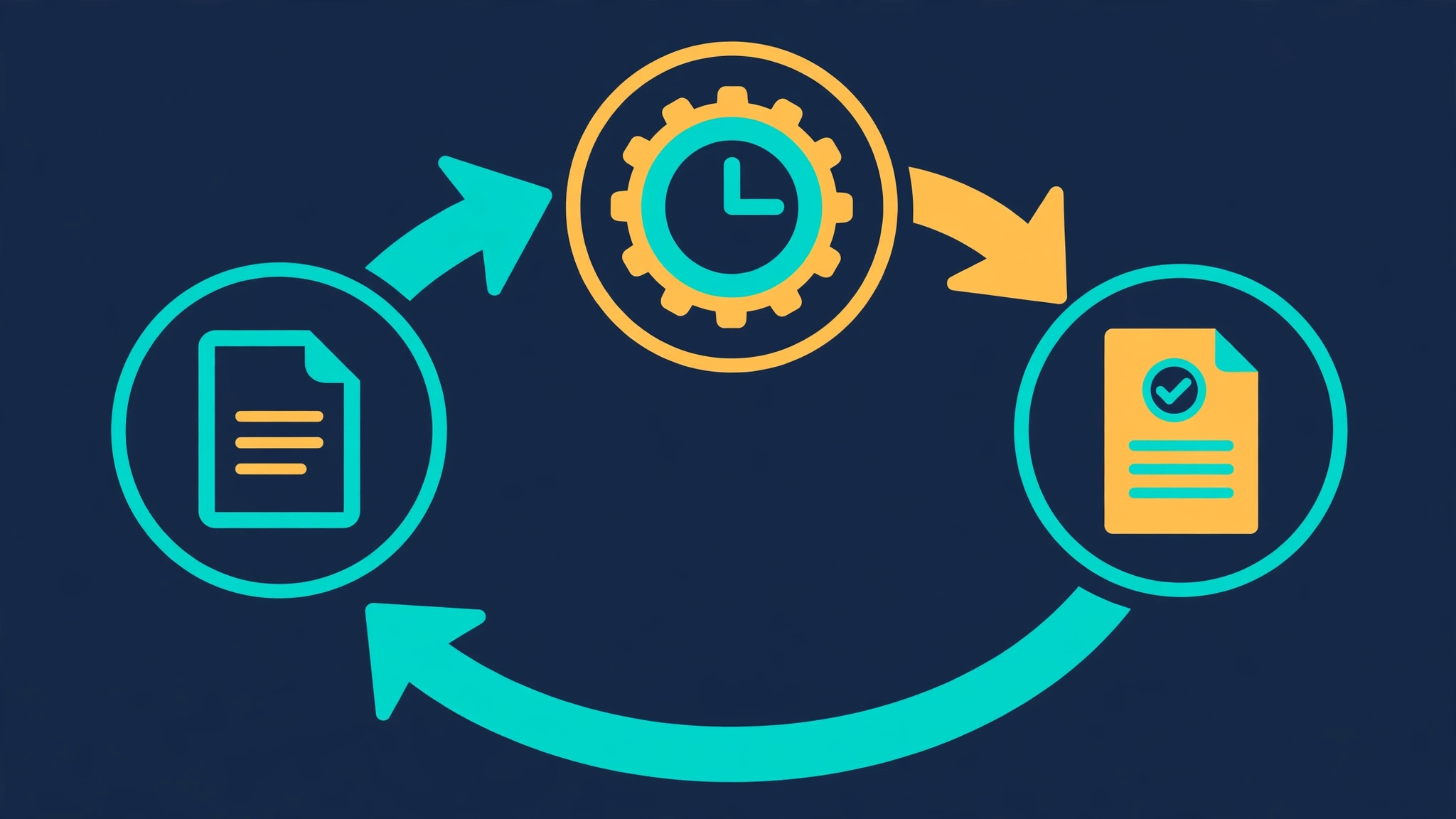
For real use, swap the one-off schedule for a recurring one — "every 2h", "daily at 09:00", or "every Mon at 08:00" — and add --deliver telegram once the gateway in Step 7 is running. The useful flags: --skill to run a skill instead of a prompt, --script for the no-agent mode, --timezone (jobs default to UTC unless you set one), --workdir, --pin to fix a model for that job, and --reasoning-effort. Agent jobs — the ones that do wake the model — have a pre-dispatch validation step that can reject a job without spending a token, and their model resolution is per-job pin first, then the cron default, then the main model. One rule from the docs: cron sessions cannot create more cron jobs, so a scheduled job cannot spawn its own schedule.
A practical tip the docs call out: if your no-agent script prints nothing, the tick is silent — no delivery file, no notification. If you want a heartbeat, make the script always print at least one line. And if you want the model to watch something and only speak when it matters, the docs suggest the [SILENT] trick: have the agent job print [SILENT] as its first line when there is nothing to report, and nothing is delivered.
Step 7 — Talk to it from Telegram#
Note: this step was not run live here — the free tier failed (Step 2), and a gateway needs a bot token and a running agent. The commands below are the project's own, verified against the CLI's --help output and the docs.
The gateway is what turns Hermes from a terminal tool into a service you can message. Set it up with:
hermes gateway setupIt walks you through each channel — Telegram, Discord, Slack, WhatsApp, Signal, Email, Home Assistant, and Teams — asking for the bot token or credentials each one needs. For Telegram, create a bot with BotFather, paste the token, and the wizard stores it. Check the state with hermes gateway status, which in this sandbox reported Gateway is not running, and start it with hermes gateway run in the foreground or hermes gateway install to run it as a service.
Two things from this run are relevant before you start. First, hermes doctor warned that python-telegram-bot and discord.py were not installed — those are optional dependencies, so install them if you want those two channels. Second, the gateway is what fires scheduled cron jobs automatically; without it, cron jobs only fire when you run hermes cron tick yourself, as in Step 6. Once the gateway is up, the same agent answers in your terminal, on Telegram, and on your schedule — and its memory and skills follow it across all three.
How the learning loop works#
The three features in this tutorial are not separate products; they are one loop. A conversation teaches the agent something, the agent writes it into MEMORY.md or USER.md, the next session starts with those notes, and the next hard task becomes a skill the agent can reuse. The docs describe the loop in four parts: it creates skills after complex tasks, improves them during use, nudges itself to persist knowledge, and searches past conversations when the notes are not enough. None of it is a separate plugin or a paid add-on; it is the default behavior once the agent is running.
That is also why the no-agent cron mode matters more than it looks. The scheduler is the part of the loop that runs without you: a watchdog that never needs the model is the cheapest possible automation, and an agent job on the same scheduler is the same infrastructure with inference added. If you only take one thing from this tutorial, take the cron system — it is the feature that keeps working after you close the terminal.
When to use this vs alternatives#
- Claude Code is the better pure coding agent, and it has the stronger model behind it — but it has no memory files, no cron, and no messaging gateway. If your work is long sessions in one repo, stay with Claude Code. If you want the agent to remember you between sessions and act while you are away, Hermes is the one built for that.
- OpenCode is the closest terminal-first alternative: fast, open, model-agnostic. It has no self-improving loop and no built-in scheduler. Pick it for a lightweight coding loop; pick Hermes for the persistent assistant.
- OpenClaw is the project Hermes descends from, and Hermes imports its setups directly. If you already run OpenClaw, the migration is one command; if you are starting fresh, Hermes is the maintained line with the learning loop and the cron system.
- Cursor Agent is IDE-bound by design. Hermes is terminal-first and runs headless on a server. If your workflow lives in an editor, Cursor wins; if it lives on a VPS or in Telegram, Hermes does.
- Plain cron plus shell scripts already does the watchdog in Step 6, for free, with no agent at all. What Hermes adds is the same scheduler with an LLM on the other end — a job that reads a log, decides whether it matters, and only then messages you.
The takeaway#
Hermes Agent earns its star count on one idea: an agent that remembers you and improves itself is worth more than a cleverer agent that starts from zero every morning. The install is heavy — 2.5 GB — and the free tier failed twice in this sandbox, so go in with your own key or a Portal subscription if you want the full experience. But the part that needs nothing — the no-agent cron watchdog — ran end to end in this tutorial with zero tokens, and it is the most immediately useful thing in the project: a scheduler, a script, and a delivered report, with a learning agent standing by for everything else.
How this tutorial was verified#
Verification ran on November 20, 2026, on a Linux VM. The official installer (curl -fsSL https://hermes-agent.nousresearch.com/install.sh | bash) completed with exit 0; the install is 2.5 GB on disk (609 MB checkout, 1.1 GB tools, the rest the virtual environment). hermes --version reported v0.23.3 (2026.9.24), Python 3.14.9, OpenAI SDK 2.54.0. hermes doctor passed with only the optional python-telegram-bot and discord.py warnings. hermes config set/get/unset round-tripped a test key. hermes skills browse loaded 141 official skills; hermes skills list showed 26 bundled skills enabled; hermes skills install official/mlops/accelerate installed the skill to ~/.hermes/skills/mlops/accelerate/ and listed it as enabled. The no-agent cron watchdog was verified end to end: job b8f0c3245c3e created at 20:12:34 UTC, fired via hermes cron tick at 20:14:01 UTC, run 253bf509745c42d787e8754610939ec4 completed, output delivered verbatim to cron/output/b8f0c3245c3e/2026-11-20_20-14-02.md, and hermes cron doctor reported no issues; the job was then removed.
What was not verified live: the free tier. hermes setup was run twice in an interactive terminal, option 1 (free) chosen both times, and both ended with The Nous service had a hiccup. The log shows Nous free tier not set up (anon_server_error, attempt 1, next try in 15s) at 20:09:52 and 20:10:59 UTC. The portal and docs sites returned HTTP 200, so this was the anonymous endpoint failing server-side, not a network outage. Because no model was available, no live chat, no memory-recall test, and no Telegram gateway run were possible; Steps 3, 4, and 7 are documented from the official quickstart, cron docs, and memory docs, and are marked as such. Two environment notes: the default home directory hit its disk quota during the first clone, so the install ran from a roomier path; and hermes skills search crashed with an httpx traceback while the sandbox proxy variables were set, and worked once they were unset.
Sources#
- NousResearch — hermes-agent (GitHub) — the README, the install one-liner, the feature list, the OpenClaw migration guide, and the star and fork counts.
- Hermes Agent — Quickstart (docs) — the setup wizard's five options, the free tier, the first prompts, the memory files and their limits, and the skills commands.
- Hermes Agent — Cron (docs) — the create flags, no-agent mode, delivery options, model resolution, pre-dispatch validation, and the
[SILENT]trick. - Hermes Agent — Memory (docs) — the
MEMORY.mdandUSER.mdlimits, the frozen snapshot at session start, and the session-search behavior.