Research what people actually say: hands-on with last30days, the social search skill for coding agents
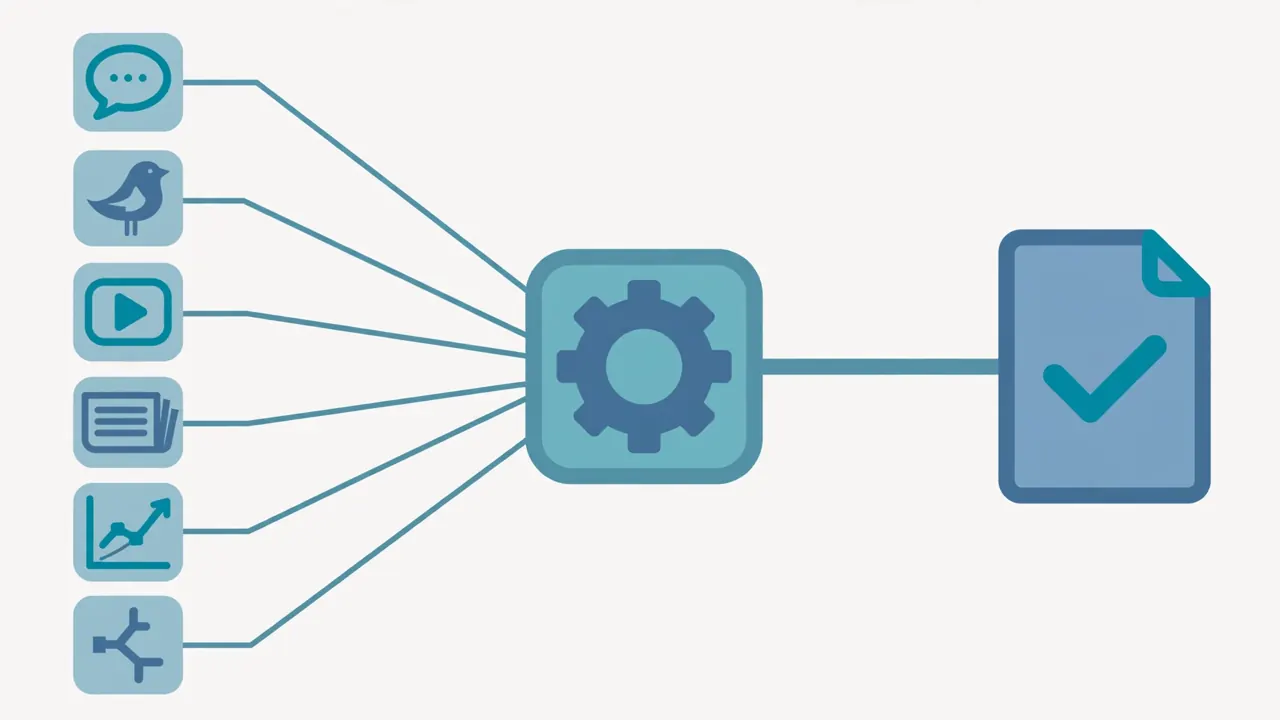
last30days is a free, open-source agent skill that searches Reddit, X, YouTube, Hacker News, Polymarket and GitHub in parallel and synthesizes what real people are saying about any topic from the last 30 days. It has 67,907 stars and topped GitHub trending today. I installed v4.2.0, ran it with no API keys, and got a sourced brief in 19 seconds. Here is the full setup, with the numbers.
- last30days v4.2.0 (2026-11-15), mvanhorn/last30days-skill: 67,907 stars, MIT, 1,514 commits, 79 releases — #1 on GitHub trending today.
- Zero-config sources: Reddit, Hacker News, Polymarket, GitHub. No API key, no account, no GPU; Python 3.12+ and Node.js required.
- Verified install: npx skills add mvanhorn/last30days-skill -g -y -a claude-code ran in 27 seconds and landed the skill in ~/.claude/skills/last30days. Without -y the installer hangs on an interactive scope prompt.
- Verified research run: "AI coding agents" returned 19 results with URLs, dates and engagement counts in ~19 seconds, saved as JSON. Reddit was unreachable on that run and worked on the next — the engine reports source status honestly.
- Verified discovery run: --discover "AI agents" produced a ranked brief with momentum labels, 6 evidence items, 9,751 interactions, and verbatim community quotes. Library feed verified: index.html + feed.xml generated from saved briefs.

Google tells you what editors published. It does not tell you what people are saying. That gap is the whole pitch of last30days: a free, open-source agent skill that searches Reddit, X, YouTube, TikTok, Hacker News, Polymarket, GitHub and the web in parallel, scores the results by what real people actually engaged with, and hands your coding agent a grounded brief on any topic from the last 30 days. It is the number-one repository on GitHub’s trending page today, with 67,907 stars, 1,514 commits and 79 releases behind it, and version 4.2.0 shipped yesterday. The README’s summary is blunt: “Google aggregates editors. /last30days searches people.”
This tutorial installs it, checks what works before running anything, and runs two real research jobs end to end: a topic brief on “AI coding agents” and a discovery run on what is trending in AI agents. No API keys were needed for either. The first brief came back in 19 seconds with 19 sourced results; the discovery run produced a ranked brief with momentum labels and verbatim community quotes. Every command below was run in a sandbox and its output is quoted from the actual run, including the one source that failed.
What you’ll need#
- A coding agent that loads Agent Skills — Claude Code (recommended), Codex, Cursor, Gemini CLI, Copilot, OpenCode, or any of the 50+ hosts the open Agent Skills standard supports. The skill is a slash command (
/last30days) plus a Python engine; it does not run on its own. - Node.js (for the
npx skillsinstaller) and Python 3.12+ (the engine refuses to run on anything older). The sandbox used Node 24.22.1 and Python 3.12.3. - No API key, no account, no GPU. Reddit, Hacker News, Polymarket and GitHub work with zero configuration. X, YouTube transcripts, TikTok and Instagram need keys or a browser login, covered in Step 5 — the free tier is genuinely usable without them.
- About ten minutes, most of it the install.
Step 1: Install it#
There are three install paths, and they are not interchangeable: pick the one for your host, and use only one. The README warns that Claude Code does not dedupe across install methods — install it twice and /last30days shows up twice.
Claude Code (recommended). Inside Claude Code, add the repo as a plugin marketplace and install the plugin. The marketplace handles updates for you:
/plugin marketplace add mvanhorn/last30days-skill
/plugin install last30days
Codex, Cursor, Copilot, Gemini CLI, or any other Agent Skills host. Use the open skills CLI. The -g flag installs globally so the skill is available across all projects; without it, the install is project-local. This is the path verified in the sandbox:
npx skills add mvanhorn/last30days-skill -g -y -a claude-codeThat ran in 27 seconds and landed the skill at ~/.claude/skills/last30days with SKILL.md, scripts/, references/ and agents/ all present. Two flags matter. First, -y: without it the installer stops after cloning and asks you to pick an installation scope (Project or Global) with arrow keys — in a non-interactive shell that prompt hangs until it is killed, which is exactly what happened to the first verification attempt. Second, -a claude-code targets a specific host; without it the installer opens an interactive multi-select of every agent it can detect. If you want it on several hosts, repeat the flag: -a codex -a cursor. Update later with npx skills update last30days -g; remove it with npx skills remove last30days -g.
Manual install (developers). Clone the repo and symlink the skill directory into your agent’s skills folder:
git clone https://github.com/mvanhorn/last30days-skill.git
ln -s "$(pwd)/last30days-skill/skills/last30days" ~/.claude/skills/last30days
The symlink keeps the install in sync with your working tree as you edit — no re-copy needed. There is also a one-file .skill bundle in the releases for claude.ai web upload, and a one-click .mcpb bundle for Claude Desktop. Those are install paths, not different products: every one of them loads the same skill and runs the same engine.
Step 2: Check what works before you research#
Before your first query, run the preflight. It prints your config source, planned writes, credentials present (never their values), and which sources are available — without reading browser cookies, writing files, or running research:
python3 skills/last30days/scripts/last30days.py --preflightFrom the sandbox, with no keys configured at all:
last30days preflight
Status: Ready to research with safe defaults.

Local reads:
- Config source: env_only
- Project config: not active
- Browser cookies: off; no browser stores will be read

Local writes:
- none planned

Credentials:
- Present: GitHub token or gh auth

Optional commands unavailable: arxiv-pp-cli, brightdata, digg-pp-cli, techmeme-pp-cli, trustpilot-pp-cli, yt-dlp

Network:
- Available sources: reddit, hackernews, polymarket, github, grounding
“Ready to research with safe defaults” is the outcome you want. The five available sources are the zero-config set. The unavailable commands are all optional extras — the free arXiv, Techmeme and Digg CLIs, which first-run setup installs for you if you want them. For a second opinion on source health, the diagnose command returns the same picture as JSON:
python3 skills/last30days/scripts/last30days.py --diagnose available_sourcesOne detail worth knowing before you trust the output: the skill requires Python 3.12 or newer and resolves the interpreter once, printing a LAST30DAYS_PYTHON=... assignment in the preflight. Keep that interpreter for every later engine call. If your machine only has an older Python, the runtime reference in the skill offers a managed CPython 3.12 via uv instead of silently falling back.
Step 3: Your first research run#
In your agent, the command is a slash command with a topic:
/last30days AI coding agentsThe agent loads the skill, runs its first-run gate (more on that in Step 5), plans the queries, and calls the same Python engine you can also drive directly. The direct form is useful in scripts and cron jobs, and it is the form this tutorial verified end to end:
python3 skills/last30days/scripts/last30days.py "AI coding agents" --emit=json --auto-resolve --save-dir /tmp/l30-outThe run took about 19 seconds and exited cleanly, saving a 23 KB brief to /tmp/l30-out/ai-coding-agents-raw.json. The file holds 19 results, each with a title, URL, source, publication date, relevance score and engagement counts — real evidence, not a summary of a summary. The top item was a Hacker News thread, “LayerFS: A filesystem for AI coding agents”, with 76 points and 48 comments. The source-status block at the end of the file is the part to read first on every run:
"source_status": {"github": "ok", "grounding": "ok", "hackernews": "ok", "jobs": "no-results", "reddit": "unreachable"}Reddit was unreachable from this sandbox on that run — and the engine says so plainly instead of pretending Reddit was quiet. That distinction is built into the skill: a source that returns nothing is reported as no-results; a source that could not be reached is reported as unreachable, rate-limited, auth-failed or timeout, and the report must not claim “nothing on Reddit” for those states. On the later discovery run in Step 4, Reddit worked and contributed 200 posts. Treat a failed source as a gap in coverage, not as evidence of silence.
Two flags in that command deserve a note. --emit=json gives you the stable, versioned machine-readable brief — the form to use if another agent or script consumes the result. --auto-resolve is the headless path: when no host web search is available, it tells the engine to use its configured backends or its keyless floor instead of asking the host model to plan queries. Inside Claude Code you never type these; the skill’s runbook supplies them. The default save location is ~/Documents/Last30Days/; --save-dir overrides it per run and --output <file> pins the exact path.
Step 4: Discovery mode — find what is trending before you pick a topic#
Topic research answers a question you already have. Discovery answers the question you should have asked: what is exploding right now? In the agent it is a question, not a topic:
/last30days what's trending in AI agents?On an agent host this runs a three-command protocol the skill enforces: nominate topics, judge them for content-worthiness, then finalize with angles. The direct engine form is a one-shot heuristic version — deterministic topic names, no angles — and it is the form verified here:
python3 skills/last30days/scripts/last30days.py --discover "AI agents" --save-dir /tmp/l30-outIt exited cleanly and saved ai-agents-discover-raw.md: a ranked brief with momentum labels, evidence counts and verbatim community quotes. The top item carried momentum “Building” with a velocity of 6,493.17, six evidence items on Hacker News generating 9,751 native interactions, and a quoted take from a commenter. The brief ends with coverage notes that are worth reading as carefully as the findings — this one flagged that fewer than five topic clusters cleared the confidence floor, that the evidence was single-source, and that Reddit had degraded during the run. A discovery brief that tells you its own limits is more useful than one that hides them; the skill’s rule is explicit that an empty result is a valid result, never a reason to fabricate topics.
Discovery is also how this desk works, in miniature: the same sweep that finds a trending repo can tell you whether anyone cares yet, and the momentum label is the difference between a spike and a conversation.
Step 5: Unlock the rest — keys, logins, and the first-run wizard#
The free tier covers Reddit, Hacker News, Polymarket and GitHub. Everything else is opt-in, and the first time you run /last30days the setup wizard offers to unlock it in about 30 seconds. What each source costs, from the README’s own table:
| Source | What unlocks it | Cost |
|---|---|---|
| Reddit, Hacker News, Polymarket, GitHub, StockTwits, patent filings | Nothing | Free |
| arXiv, Techmeme, Yahoo Finance | Free CLIs, auto-installed by first-run setup | Free |
| X / Twitter | X_BEARER_TOKEN, or log into x.com in any browser, or an xAI key | X API credits from your developer project; browser cookies are free |
| YouTube | brew install yt-dlp | Free |
| Bluesky | App password from bsky.app | Free |
| TikTok, Instagram, Threads, Pinterest, LinkedIn | ScrapeCreators key | 10,000 free calls, then pay-as-you-go |
| Web search | Brave Search key | 2,000 free queries a month |
| Perplexity / OpenRouter | Provider key | Pay as you go |
Two consent points matter, and the skill is careful about both. Browser-cookie access — reading your logged-in X or Reddit session — requires an explicit yes, asked once; a skip or no answer is never treated as consent, and the cookie is sent only to that platform. And the engine never writes API keys into output files. Keys live in ~/.config/last30days/.env; on macOS you can store them in the system Keychain instead with the bundled setup-keychain.sh, and the skill picks them up automatically. If a source breaks later, the skill ships a doctor command — doctor --cached --json in the runbook — that diagnoses which source is misconfigured and why, instead of failing silently.
The practical order: run it free for a week. Add X first if you follow fast-moving topics — it is the source most likely to have the news before anyone else. Add yt-dlp if you research anything people make videos about. Add ScrapeCreators only if TikTok or Instagram matter to your topic; 10,000 free calls is a generous trial, and the key is the one paid-adjacent dependency in the whole setup.
Step 6: Make it a daily habit — watchlists, digests, and a library feed#
A one-off brief is useful. A standing watch is the point. Add --store to a research run and findings persist into a local SQLite database; the bundled scripts/watchlist.py runs scheduled checks over your topics (with optional Slack or webhook delivery when something new appears) and scripts/briefing.py turns the stored findings into daily or weekly digests. The full cadence pattern is in CONFIGURATION.md.
Saved briefs also become a small research library. The library feed command turns them into a local site — an index page, an Atom feed, and a rendered page per brief:
python3 skills/last30days/scripts/last30days.py library feed --save-dir /tmp/l30-outVerified in the sandbox against the two briefs from Steps 3 and 4:
[last30days] Library feed generated 1 brief(s): /tmp/l30-out/index.html and /tmp/l30-out/feed.xml
Library: /tmp/l30-out/index.html
Feed: /tmp/l30-out/feed.xml
Atom feed is local; host feed.xml on any static host (for example, GitHub Pages) to make it subscribable.
The feed is local by default and stays that way until you host it. Publishing is an explicit opt-in, and the skill warns that hosted pages are public unless you password-protect them — do not publish a library of briefs about a client or an employer without thinking about who can read it.

When to use this vs alternatives#
| Approach | When it wins | What it cannot do |
|---|---|---|
| last30days | You want what people are saying, with votes and quotes attached — before a meeting, a build, a hire, or a purchase | It is not a web search engine; without keys it cannot see X, TikTok or Instagram |
| Perplexity / ChatGPT Deep Research | You want a polished, cited synthesis of published sources, with the model doing the writing | Editorial web only; no Reddit comments, no X threads, no Polymarket odds, and the synthesis is the product, not the evidence |
| Google / Google News | You want the editorial record fast, from sources with editors | Almost no social signal: Reddit comments, X posts and YouTube transcripts are effectively invisible to it |
| Manual trawling (Reddit + HN + X by hand) | You already live on those platforms and enjoy the scroll | It does not scale past one topic, and you will miss the quiet thread with 1,500 upvotes while reading the loud one |
The honest framing is that these are layers, not competitors. Use last30days to find out what the community thinks and what is moving; use a deep-research tool to verify what the editorial record says; use Google to check whether anyone with an editor has confirmed it. The skill’s own README makes the same point with a comparison it ran itself: OpenClaw, Hermes and Paperclip are not competitors, they are layers. Research works the same way.
Honest limitations#
- Reddit is the flakiest free source. In this verification it was unreachable on one run and returned 200 posts on the next. The engine reports the state honestly, but a brief built on a run where Reddit was down is a brief with a hole in it. Re-run before you quote it.
- It is a skill, not an app. There is no website to visit and no button to click. You need a host agent (Claude Code, Codex, Cursor and the rest) or the Python CLI. If you have never used an agent skill before, the install in Step 1 is the learning curve.
- X, TikTok and Instagram stay locked without keys or a login. The free tier is real, but the loudest platforms are the ones behind auth. Budget the 30-second wizard and, for X, a developer project or a browser login.
- YouTube needs yt-dlp. Transcripts are the valuable part — a 45-minute video reduced to the five quotable sentences — and that needs the binary installed. Without it, YouTube is just titles.
- The synthesis is only as good as the host model. The engine gathers and scores evidence; the agent writes the brief. A weak host model will still produce a weak brief from good evidence. The JSON output (
--emit=json) is the escape hatch: read the evidence yourself. - First-run setup asks about browser cookies. That is a real permission, and the right answer for most people is to skip it until they need X or logged-in Reddit. The skill treats a skip as a refusal, not as a prompt to ask again.
- It is very new and very fast-moving. Version 4.2.0 shipped yesterday; the changelog for this release alone adds a scheduled Reddit canary, a logged-in Reddit session, and thread rehydration. Pin the version you verify against, and run
npx skills update last30days -gbefore assuming a flag still exists.
The takeaway#
The skill’s premise survives contact with reality: in 19 seconds, with no keys and no account, it returned 19 sourced results on a live topic, each with a URL, a date, and an engagement count, and told me honestly which source it could not reach. The install is one command, the preflight tells you what works before you spend anything, and the discovery mode is the feature that justifies the install on its own — ask what is trending and get an answer ranked by what people actually engaged with, not by what an editor chose to publish. Install it globally, run the preflight, research one topic you already care about, and compare the brief with what Google would have told you. The difference is the point.